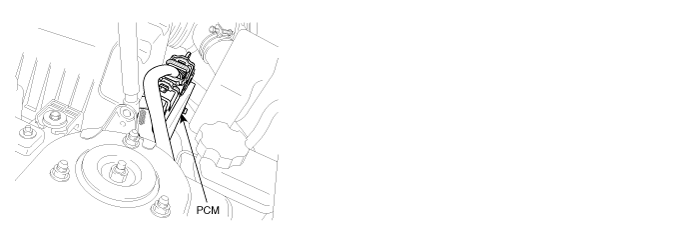
In immobilizer system,
scantool is mainly used for diagnosis. besides this, registration of key
and neutralization of SMARTRA and PCM/ECM is executed by scantool. For
PCM/ECM communicate with other components such as SMARTRA and scantool by
changing type of communication through just one line, K-line communication
between scantool and PCM/ECM is unavalible while communication between
PCM/ECM and SMARTRA is in progress.
The ECM sets DTC P1697
if Request from Tester is Invalid
Item
|
Detecting
Condition
|
Possible Cause
|
DTC
Strategy
|
|
| •
|
Poor connection between scanner and
diagnostic connector |
| •
|
Up - to - date of Scanner
program | |
Enable
Conditions
|
|
Threshold
value
|
| •
|
Invalid request
- Protocol layer violation
- Check sum
error | |
Detecting
time
|
|
FAIL
SAFE
|
|
| 1. |
Connect scantool to Data Link
Connector(DLC). |
| 2. |
Ignition "ON" & engine
"OFF" |
| 3. |
Selet "Diagnostic Trouble Codes(DTCs)"mode and
monitor "DTC Status" parameter |
| 4. |
Is the DTC P1697 present ?

Go to "Inspection & Repair"
procedure

Fault is intermittent caused by poor contact
in SMARTRA's and/or ECM's connector or was repaired and ECM memory
was not cleared. Thoroughly check connectors for looseness, poor
connection, bending, corrosion, contamination, deterioration, or
damage. Repair or replace as necessary and then go to "Verification
of Vehicle Repair" procedure. |
| 1. |
Check communication between ECM and scantool
.
| (1) |
IGN "ON" & Engine
"OFF" |
| (2) |
Connect scantool to Data Link
Connector(DLC). |
| (3) |
Erase the DTC and Monitor Parameter of
immobilizer on the Scantool.
※ Try one more time from "select car
model " even if "Communication error" is present on the
scantool
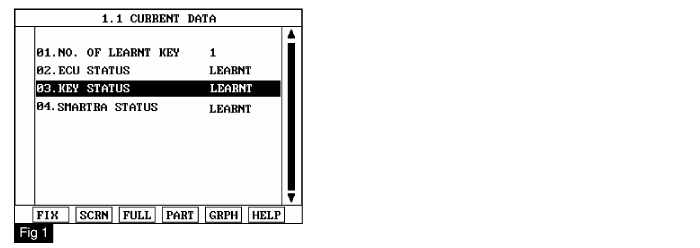
Fig1) The current data of
immobilizer |
| (4) |
Is the communication between ECM and
scantool normal?
▶ If ECM is in "Locked by Timer" status.
Keep "KEY ON" status for 1 hours to withdraw "Locked by Timer"
status. Then repair or replace as necessary and go to
"Verification of Vehicle Repair" procedure.
▶ Substitute with a known-good scantool
and check for proper operation.
If the problem is corrected, Go to
"Verification of Vehicle Repair"
procedure. | |
| Verification of Vehicle
Repair |
After a repair, it is
essential to verify that the fault has been corrected.
| 1. |
Connect scantool and selet "Diagnostic Trouble
Codes(DTCs)" mode and then clear
DTC. |
| 2. |
Operate the vehicle and monitor the DTC on the
scantool |
| 3. |
Are any DTCs present?
▶ Go to the applicable troubleshooting
procedure
▶ System is performing to specification at
this
time. |