| Removal |
AVN
Head Unit
|

| 1. |
Disconnect the negative (-) battery
terminal. |
| 2. |
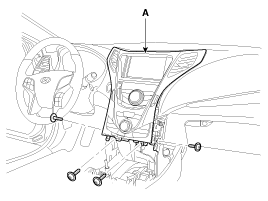
Remove the crash pad center fascia panel
(A).
|
| 3. |
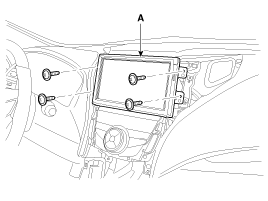
Remove the monitor (A) after loosening the
mounting screws.
|
| 4. |
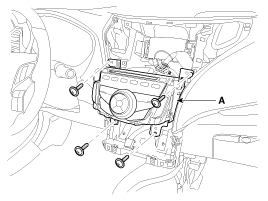
Remove the AVN head unit (A) after loosening
the mounting screws.
|
| 5. |
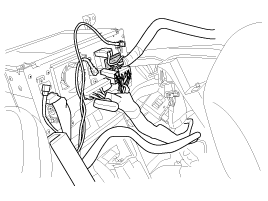
Remove the AVN head unit connectors and
cables.
|
AVN
monitor
| 1. |
Remove the center fascia panel.
(Refer to AVN System - "AVN Head
Unit") |
| 2. |
Remove the monitor (A) after loosening the
mounting screws.
|
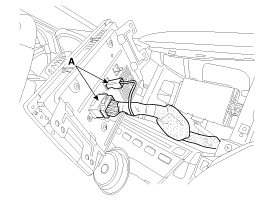
| 3. |
Remove the AVN monitor connectors and cables
(A).
|
| Installation |
AVN
Head Unit
| 1. |
Connect the AVN head unit connectors and
cable. |
| 2. |
Install the AVN head
unit. |
| 3. |
Install the center fascia
panel. |
| 4. |
Connet the battery (-)
terminal.
|
AVN
monitor
| 1. |
Install the AVN
monitor. |
| 2. |
Install the center fascia
panel. |