| INSPECTION |
FRONT CASE
| 1. |
Check the front case for cracks or damage.
Replace as necessary. |
| 2. |
Check the front oil seal for worn or damaged
lips. Replace if defective. |
OIL PAN AND OIL SCREEN
| 1. |
Check the oil pan for failure, damage or
cracks. Replace if defective. |
| 2. |
Check the oil screen for failure, damage and
cracks and replace if defective. |
FRONT CASE AND OIL PUMP COVER
Check the
surfaces contacting gears for damage or worn.
OIL PUMP GEARS
| 1. |
Check the gear tooth surfaces for wear or
damage. |
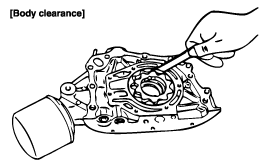
| 2. |
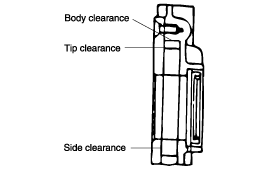
Measure the clearance between the outer gear
and the front case.
|
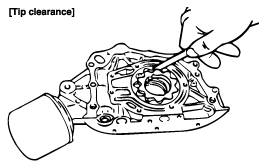
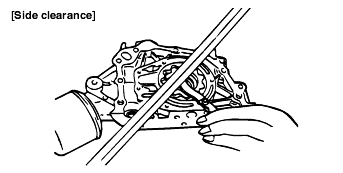
| 3. |
Check the tip clearance on the pump
roter.
|
RELIEF VALVE AND SPRING
| 1. |
Check sliding condition of the relief valve
inserted in the front case. |
| 2. |
Inspect for a distorted or broken relief valve
spring.
|
OIL PRESSURE SWITCH
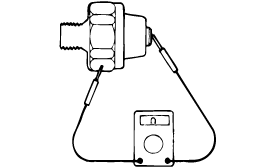
| 1. |
Use an ohmmeter to check the continuity
between the terminal and the body. If there is no continuity,
replace the oil pressure switch.
|
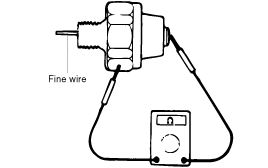
| 2. |
Check the continuity between the terminal and
the body when the fine wire is pushed. If there is continuity even
when the fine wire is pushed, replace the
switch. |
| 3. |
If there is no continuity when a 50 kPa (7
psi) vacuum is applied through the oil hole, the switch is operating
properly.
|
| 4. |
Check for an air leaks, the diaphragm is
broken. Replace the
switch. |