| Inspection |
Antenna Cable
| 1. |
Remove the antenna jack from the audio unit
and antenna. |
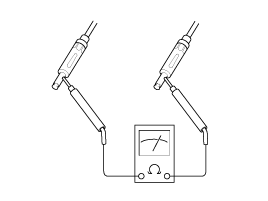
| 2. |
Check for continuity between the center poles
of antenna cable.
|
| 3. |
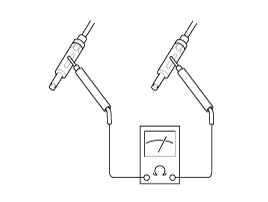
Check for continuity between the outer poles
of antenna cable. There should be continuity.
|
| 4. |
If there is no continuity, replace the antenna
cable. |
| 5. |
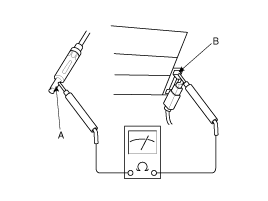
Check for continuity between the center pole
of antenna cable and terminal of glass antenna. There should be
continuity.
|
| 6. |
If there is no continuity, replace the antenna
amplifier. |
| 7. |
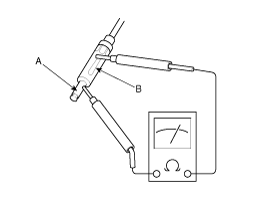
Check for continuity between the center pole
(A) and outer pole (B) of antenna cable. There should be no
continuity.
|
| 8. |
If there is continuity, replace the antenna
cable. |