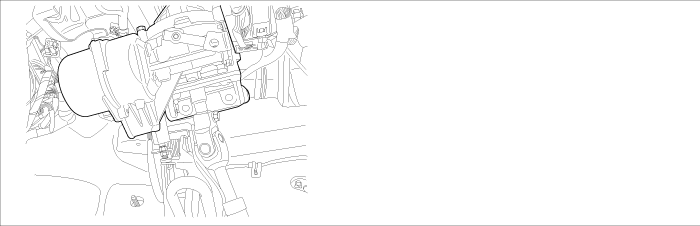
EPS CM monitors internal
circuit to protect abnormal operation. This test includes hardware (MCU,
RAM, ROM and so on) test.
EPS CM checks operating
condition of H/W periodically. EPS CM sets this code and turns on warning
lamp if there is a fault in H/W. At that time EPS CM inhibits EPS
opreation.
Item
|
Detecting
Condition
|
Possible cause
|
DTC
Strategy
|
|
|
Enable
conditions
|
|
Threshold
value
|
|
Fail
Safe
|
| •
|
EPS warning lamp "ON", EPS control is
inhibited | |
Restoration
conditions
|
| •
|
Normal condition after IG on →
off | |
| Terminal and Connector
Inspection |
| 1. |
Many malfunctions in the electrical system are
caused by poor harness and terminals.
Faults can also be caused by interference from
other electrical systems, and mechanical or chemical
damage. |
| 2. |
Thoroughly check all connectors (and
connections) for looseness, bending, corrosion, contamination,
deterioration, and/or damage. |
| 3. |
Has a problem been found ?
|

|
▶ Repair as
necessary and then go to "Verification of Vehicle Repair"
procedure.
|
|

|
▶ Go to
"Component Inspection"
procedure.
|
|
| 2. |
Ignition "ON" & Engine
"OFF". |
| 3. |
Connect scantool and select "Diagnostic
Trouble Codes(DTCs)" mode |
| 4. |
Using a scantool, Clear
DTC. |
| 5. |
Select "Diagnostic Trouble Codes(DTCs)" mode
again. |
| 6. |
Are any DTCs present ?
|
|
▶
Substitute with a known-good steering column & EPS unit
assembly check for proper operation.
If problem is corrected, replace steering column
& EPS unit assembly and then go to "Verification of
Vehicle Repair" procedure.
|
|
|
▶ Fault is
intermittent and caused either by poor contact in connectors
or wiring harness, or it has been repaired and EPS CM memory
is not cleared yet.
Go to
"Verification of Vehicle Repair" procedure.
|
|
| Verification of Vehicle
Repair |
After a repair, it is
essential to verify that the fault has been corrected.
| 1. |
Connect scantool and select "Diagnostic
Trouble Codes(DTCs)" mode. |
| 2. |
Using a scantool, Clear
DTC. |
| 3. |
Operate the vehicle within DTC Detecting
Condition in General Information. |
| 4. |
Are any DTCs present ?
|
|
▶ Go to the
applicable troubleshooting procedure.
|
|
|
▶ System
performing to specification at this
time.
|
|