| Removal |
AVN Head Unit
|

| 1. |
Disconnect the negative (-) battery
terminal. |
| 2. |
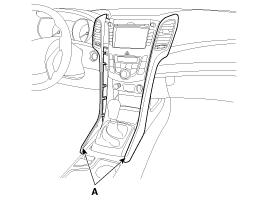
Remove the crash pad garnish (A).
|
| 3. |
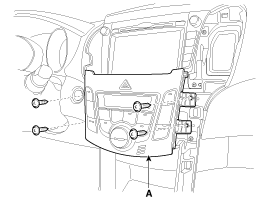
Remove the heater and A/C controller (A) after
loosening 4 screws.
|
| 4. |
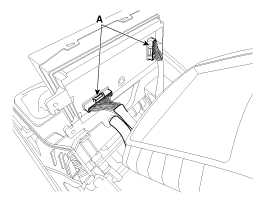
Disconnect the heater and A/C controller
connector (A).
|
| 5. |
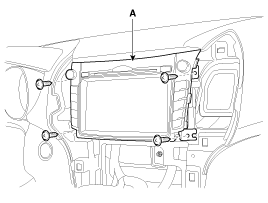
Remove the ANV head unit (A) after loosening 4
screws.
|
| 6. |
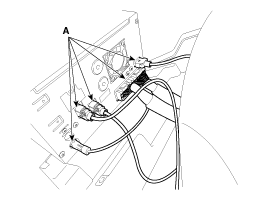
Remove the AVN head unit connectors and cables
(A).
|
| Installation |
| 1. |
Connect the AVN head unit connectors and
cables. |
| 2. |
Install the AVN head
unit. |
| 3. |
Install the heater & A/C cnotroller after
connecting the connector. |
| 4. |
Install the crash pad
garnish. |
| 5. |
Connect the negative (-) battery
terminal.
|