| COMPONENT LOCATION |
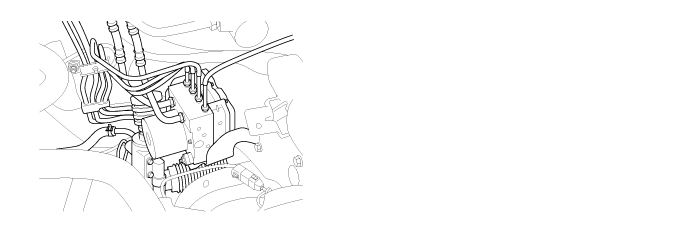
| GENERAL DESCRIPTION |
The ESP HECU is
composed of an ECU (Electronic Control Unit ) and a HCU( Hydraulic Control
Unit), so the HECU hardware includes all solenoid valves inside the unit
as well as the ECU. Solenoid valves are switched to ON, OFF by HECU when
the ABS/ESP is activated. Solenoid valves function is to increase,
decrease or maintain the hydraulic pressure supplied to a wheel
cylinder.
| DTC DETECTING CONDITION |
| Item |
Detecting Condition |
Possible cause | ||
| DTC Strategy |
Battery Voltage Monitoring |
| ||
| Enable Conditions |
The valve and pump motor test detects electrical
actuation malfunction of USV and HSV valves. The test actuates all valves in series (to detect shorts or shunts between the valve lines). Faults are detected by monitoring the valve response signals. | |||
| Monitoring period |
The USV Test is performed once after ignition on at
standstill if the BLS is off and at vehicle speed is v > 15
km/h(9 MPH) if the BLS is on. | |||
| Effect |
Valve cannot be actuated or valve is incorrectly
actuated. This may result in locked wheels or wheels without pressure. |
| COMPONENT INSPECTION |
| 1. |
Ignition
"OFF". |
| 2. |
Engine
"ON". |
| 3. |
Start and drive vehicle in gear and maintain
vehicle speed is approx. 15 km/h or more(9 mph or more)
Does warning lamp remain On?
▶ Substitute with a known-good HECU and
check for proper operation. If problem is corrected, replace HECU
and then go to "Verification of Vehicle Repair"
procedure.
▶ Fault is intermittent caused by faulty
HECU or was repaired and HECU memory was not cleared. Go to the
applicable troubleshooting
procedure. |


| VERIFICATION OF VEHICLE REPAIR |
After a repair, it is
essential to verify that the fault has been corrected..
| 1. |
Connect scantool and select "Diagnostic
Trouble Codes(DTCs)" mode. |
| 2. |
Using a scantool, Clear
DTC. |
| 3. |
Operate the vehicle within DTC Detecting
Condition in General Information. (Start and drive vehicle in gear
and maintain vehicle speed is approx. 15 km/h or more(9 mph or
more))
Are any DTCs present?
▶ Go to the applicable troubleshooting
procedure.
▶ System performing to specification at this
time. |