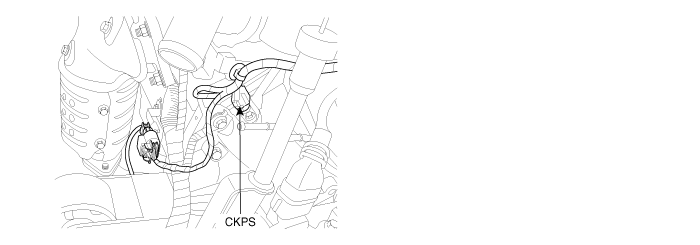
The Crankshaft Position
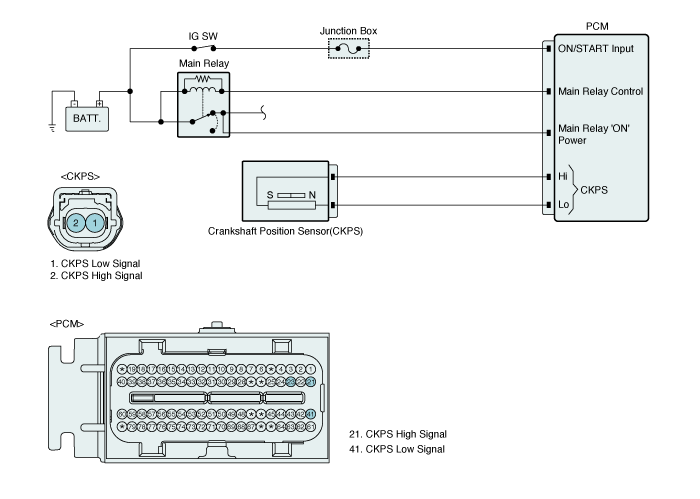
Sensor (CKPS) is a magnetic field sensitive type sensor that generates
voltage using a sensor and a target wheel mounted on the crankshaft; there
are 58 slots in the target wheel where one is longer than the others. When
the slot in the wheel aligns with the sensor, the sensor voltage outputs
low. When the metal (tooth) in the wheel aligns with the sensor, the
sensor voltage outputs high. During one crankshaft rotation there are 58
rectangular signals and one longer signal. The PCM calculates engine RPM
by using the sensor’s signal and controls the injection duration and the
ignition timing. Using the signal differences caused by the longer slot,
the PCM identifies which cylinder is at top dead center.
Checking tooth error
correction under detecting condition, if the TEC(Tooth Error Correction)
is out of Threshold value, PCM sets P0315.
Item
|
Detecting
Condition
|
Possible Cause
|
DTC
Strategy
|
| •
|
This DTC indicates that crankwheel tooth
error has not been
learned. | |
|
Enable
Conditions
|
| •
|
10% ≤ Engine load <
90% |
| •
|
2000 rpm ≤ engine speed ≤ 4000
rpm |
| •
|
TEC(Tooth Error Correction) RPM
stability timer > 10sec |
| •
|
0°C(32°F) < coolant temperature <
110°C(230°F) |
| •
|
Not active disabling
faults | |
Threshold
value
|
| •
|
Distance driven without learning(during
fuel cut off) tooth error ≥ 6500km(4038.91275 mile)
|
| •
|
Acutal Value is higher or lower than
calibrated value | |
Diagnosis
Time
|
|
MIL On
Condition
|
|
| 1. |
Check DTC Status
| (1) |
Connect scantool to Data Link
Connector(DLC). |
| (3) |
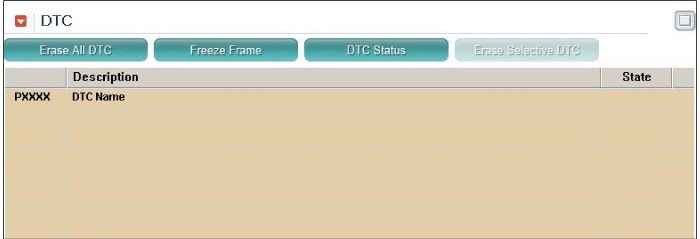
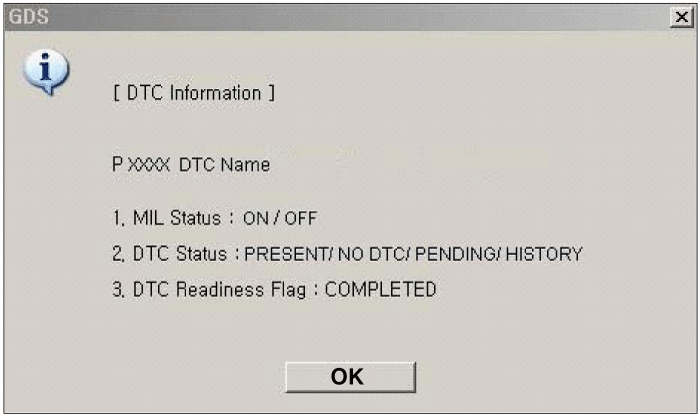
Select "DTC" button, and then Press "DTC
Status" to check DTC’s information from the DTCs
menu |
| (4) |
Read "DTC Status"
parameter.
|
| (5) |
Is parameter displayed "Present
fault"?
|

|
▶ Go
to "Component Inspection" procedure.
|
|

|
▶
Fault is intermittent caused by PCM memory was not
cleared after repair.
Erase
DTC and drive the vehicle to satisfy the enable codition
then, go to " Component Inspection"
procedure.
|
| |
| 1. |
Visually check CKPS and target
wheel
| (2) |
Visually check CKPS is loosened or
target wheel is deformed or
damaged. |
| (3) |
Is the above items normal ?
|
|
▶
Substitute with a known - good PCM and check for proper
operation.
If the problem is
corrected, replace PCM and go to "Verification of
Vehicle Repair" procedure.
|
|
|
▶
Repair or replace as necessary and then go
to"Verification of Vehicle Repair" procedure.
|
| |
| Verification of Vehicle
Repair |
After a repair, it is
essential to verify that the fault has been corrected.
| 1. |
Connect scantool and select "DTC"
button. |
| 2. |
Press "DTC Status" button and confirm that
"DTC Readiness Flag" indicates "Completed". If not, drive the
vehicle within conditions noted in the freeze frame data or enable
conditions |
| 3. |
Read "DTC Status"
parameter |
| 4. |
Is parameter displayed "History(Not Present)
fault"?
|
|
▶ System
performing to specification at this time. Clear the
DTC
|
|
|
▶ Go to the
applicable troubleshooting
procedure.
|
|