COVER-FRONT
REMOVAL
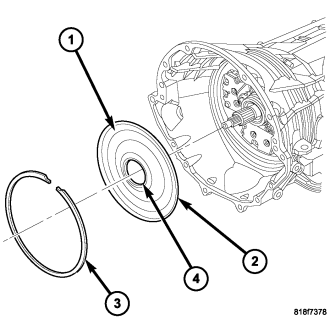
1. Remove the bolts holding the transmission oil pan to the transmission case .
2. Remove the transmission oil pan from the transmission case.
3. Remove the snap ring (3) from the transmission case.
4. Reaching through a case opening in the valve body area with a long blunted tool, remove the transmission front cover (1) from the transmission case.
INSTALLATION
NOTE: To avoid contamination and garter spring dislodgement, do not handle the front cover seal (4) when positioning the front cover into the transmission case.
1. Position a new front cover (1) into the transmission case.
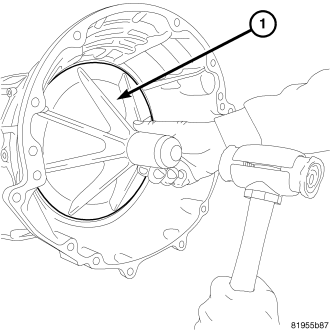
2. Using the front cover installation tool 9955 (1) and a dead-blow mallet, install the front cover into transmission case .
3. Install the snap ring (3) into the transmission case.
4. Apply RTV silicone to the oil pan and install the transmission oil pan.
5. Tighten the bolts to 12 N·m (105 in. lbs.).