Home › 28 - DTC-Based Diagnostics › RADIO › B156B-SATELLITE RADIO ANTENNA CIRCUITB156B-SATELLITE RADIO ANTENNA CIRCUIT
B156B-SATELLITE RADIO ANTENNA CIRCUIT
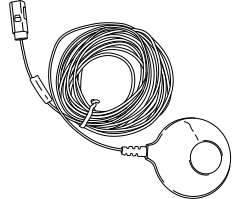
Special Tools: Click to display a list of tools used in this procedure
For a complete wiring diagram, refer to the Wiring Information .
Possible Causes
SHORTED OR OPEN ANTENNA CABLE
SHORTED OR OPEN ANTENNA
SATELLITE RADIO RECEIVER
1.
TEST FOR INTERMITTENT CONDITION
2.
With the scan tool, erase all Satellite Radio DTCs.
3.
Turn the ignition and radio on.
4.
Put the satellite radio in seek up mode for two loops around the band cycle.
5.
With the scan tool, read the DTCs.
Does the scan tool display active: B156B-Satellite Radio Antenna Circuit? Yes
No
2.
CHECK THE ANTENNA AND CABLE
1.
Disconnect the Satellite Radio Antenna connector at the rear of the Radio.
2.
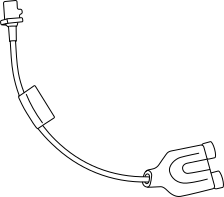
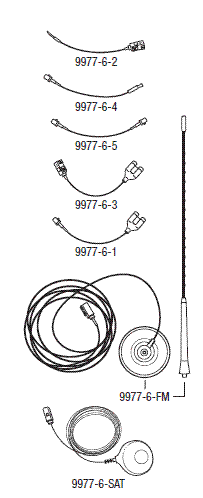
Connect the Radio Diagnostic Tool
9977-6-SAT
to the Satellite Antenna connection on the back of the Radio.
3.
Make sure one of the front doors is still open.
4.
Using the scan tool, erase the DTCs.
7.
Using the scan tool, read the active Radio DTCs.
Does the scan tool display active: B156B-Satellite Radio Antenna Circuit? Yes
No
3.
TEST THE SATELLITE ANTENNA CABLE
1.
Disconnect the Satellite Antenna cable at the Satellie Antenna.
2.
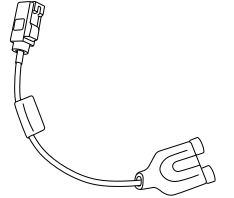
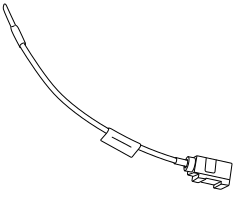
Connect the appropriate Radio Diagnostic Tool
9977-6-1
or
9977-6-3
to the Satellite Antenna cable at the back of the Radio.
3.
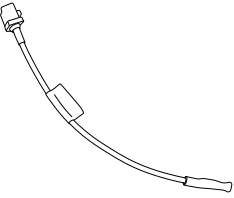
Connect the appropriate Radio Diagnostic Tool
9977-6-4
or
9977-6-2
to the Satellite Antenna cable at the Satellite Antenna.
4.
Measure the Resistance across the terminals on the tool.
Is the resistance above 52.5 Ohms or below 47.5 Ohms? No
Yes