C1501-96-TIRE PRESSURE SENSOR 1 - INTERNAL COMPONENT FAILURE
For a complete wiring diagram, refer to the Wiring Information.
| NOTE: |
Check for and remove any non-FCC compliant components, and verify that the tire pressures are correct, before beginning this diagnostic procedure. |
Theory of Operation
The Tire Pressure Monitoring (TPM) Sensor actively monitors the air pressure, air temperature inside the tire, the direction of the tire rotation and the internal battery status. Each sensor has a unique ID code. The TPM Sensor transmits the data at regular intervals via an encoded signal to a receiver circuit located in the Tire Pressure Monitoring (TPM) Module.
-
When Monitored:
With vehicle speed greater than 24 km/h (15 mph).
-
Set Condition:
The TPM Module will monitor the signals from the four active road tire TPM Sensors. A loss of RF signal error is detected if data is not received or cannot be accurately decoded for a maximum of 20 minutes when the vehicle speed is above 24 km/h (15 mph). An internal sensor hardware error condition will be set when an error in the shock sensor, pressure sensor, or temperature sensor is detected. The Tire Pressure Monitoring Telltale Lamp will flash on and off for 75 seconds then remain on solid when a system fault is detected.
Possible Causes |
|---|
| NON-FCC COMPLIANT COMPONENTS |
| AFTERMARKET TIRES/WHEELS |
| INTERMITTENT TIRE PRESSURE MONITORING (TPM) SENSOR INTERNAL DTC |
| TIRE PRESSURE MONITORING (TPM) SENSOR |
| TIRE PRESSURE MONITORING (TPM) MODULE |
| 1. | Turn the ignition on. |
| 2. | With the scan tool, read and record TPM Module DTCs. |
| 3. | Test drive the vehicle at a speed greater than 24 km/h (15 mph) up to 20 minutes in order to receive TPM Sensor data and allow for the system to update. |
| 4. | With the scan tool, erase stored TPM Module DTCs. |
| 5. | With the scan tool, select View DTCs in the TPM Module. |
Is the DTC active at this time?
Yes
- Go To 2
No
- Go To 8
2. TIRE PRESSURE MONITORING (TPM) SENSOR INTERNAL FAULT ACTIVE
| 1. | Turn the ignition on. |
| 2. | With the scan tool, select Data Display for the TPM Module and locate the following: |
Do any of the above faults read “Set”?
Yes
- Go To 3
No
- Go To 7
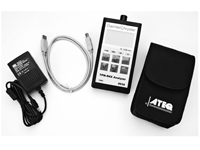
Is there a TPM-RKE Analyzer CH9936 available?
Yes
- Go To 4
No
- Go To 7
4. TIRE PRESSURE MONITORING (TPM) SENSOR INTERNAL DTC
| NOTE: |
This fault can be set if the incorrect or no TPM Sensor is installed on the vehicle. If the spare tire is currently installed on the vehicle, and it is not equipped with a TPM Sensor, this DTC can be set. Replace the spare with a TPM Sensor equipped wheel and tire assembly. Test drive the vehicle. If the DTC resets, continue with the diagnostic procedure. |
| 1. | Perform a visual inspection to verify that all road wheels are equipped with a TPM Sensor. |
| 2. | With the TPM-RKE Analyzer CH9936 verify the correct TPM Sensor is on the vehicle. |
Is the correct TPM Sensor installed on the vehicle?
Yes
- Go To 5
No
- Install the correct Tire Pressure Monitoring (TPM) Sensor in accordance with the Service Information. (Refer to 22 - Tires and Wheels/Tire Pressure Monitoring/SENSOR, Tire Pressure Monitoring (TPM) - Removal).
- Perform the TPM VERIFICATION TEST. (Refer to 28 - DTC-Based Diagnostics/MODULE, Tire Pressure (TPM) - Standard Procedure).
5. TIRE PRESSURE MONITORING (TPM) SENSOR INTERNAL FAULT SET USING TPM-RKE ANALYZER
| NOTE: | The following procedure is used to locate the TPM Sensor that is setting the internal fault. If the tires have been rotated, the TPM Sensor is no longer in sequence from the factory. Faults are linked to the TPM Sensor IDs. You MUST locate the TPM Sensor that set the fault before continuing. Use the following method below at every tire location. |
| NOTE: | If the TPM Sensor IDs do not match, it may be necessary to move the vehicle to a location away from other TPM Sensors and repeat this step. |
| NOTE: | Always be certain to select the proper vehicle line and model year when using this tool, as the tool will automatically use the correct protocol to attempt to read the TPM Sensor. If the incorrect vehicle line and/or model year is selected, the TPM Sensor will not respond to the tool. |
| 1. | Use a TPM-RKE Analyzer CH9936 to scan each TPM Sensor for a response, and store in the proper location in the TPM-RKE Analyzer. If you receive no response from any of the TPM Sensors, check to make sure that the TPM-RKE Analyzer is set correctly and repeat the process on each non-responsive wheel. |
| 2. | Replace the TPM Sensor if the results show a “Damaged Accel”, “Damaged Temp”, “Damaged Press”, “H/W fail”, “S/W fail” or the TPM Sensor does not respond after repeated attempts. Install the correct Tire Pressure Monitoring (TPM) Sensor in accordance with the Service Information. (Refer to 22 - Tires and Wheels/Tire Pressure Monitoring/SENSOR, Tire Pressure Monitoring (TPM) - Removal). Perform the TPM VERIFICATION TEST. (Refer to 28 - DTC-Based Diagnostics/MODULE, Tire Pressure (TPM) - Standard Procedure). |
| 3. | With the scan tool, select Data Display for the TPM Module. |
| 4. | Check to see if the Sensor IDs match what is programmed into the TPM Module. |
Has the TPM Sensor been located?
Yes
- Install the Tire Pressure Monitoring (TPM) Sensor in accordance with the Service Information. (Refer to 22 - Tires and Wheels/Tire Pressure Monitoring/SENSOR, Tire Pressure Monitoring (TPM) - Removal).
- Perform the TPM VERIFICATION TEST. (Refer to 28 - DTC-Based Diagnostics/MODULE, Tire Pressure (TPM) - Standard Procedure).
No
- Go To 6
6. TIRE PRESSURE MONITORING (TPM) SENSOR INTERNAL FAULT – MISMATCHED ID
| NOTE: | If the TPM Sensor IDs do not match, it may be necessary to move the vehicle to a location away from other TPM Sensors and repeat this step. |
| 1. | Use a TPM-RKE Analyzer CH9936 to verify the TPM Sensor IDs match what is programmed into the TPM Module. The TPM Sensor Identifications are located under “Data Display” for the TPM Module. |
Do the TPM Sensor IDs match what is stored in the TPM Module?
Yes
- Replace the Tire Pressure Monitoring (TPM) Module in accordance with the Service Information. (Refer to 22 - Tires and Wheels/Tire Pressure Monitoring/MODULE, Tire Pressure Monitoring (TPM) - Removal).
- Perform the TPM VERIFICATION TEST. (Refer to 28 - DTC-Based Diagnostics/MODULE, Tire Pressure (TPM) - Standard Procedure).
No
- Test complete.
- Perform the TPM VERIFICATION TEST. (Refer to 28 - DTC-Based Diagnostics/MODULE, Tire Pressure (TPM) - Standard Procedure).
7. TIRE PRESSURE MONITORING (TPM) SENSOR INTERNAL FAULT SET
| NOTE: | Some vehicles will not receive the TPM Sensor data when the vehicle is stationary. The vehicle may need to be driven at speeds greater than 24 km/h (15 mph) for about a minute in order to receive TPM Sensor data. |
| 1. | Turn the ignition on. |
| 2. | Starting with the left front wheel, deflate the tire to 20 PSI, wait two minutes, and check the scan tool for changes to any compensated tire pressure values. |
| 3. | Look for a tire location with a non-responsive TPM Sensor ID. |
| 4. | Repeat this test on each wheel on the vehicle until the TPM Sensor in question has been identified. |
Has the TPM Sensor been located?
Yes
- Install the Tire Pressure Monitoring (TPM) Sensor in accordance with the Service Information. (Refer to 22 - Tires and Wheels/Tire Pressure Monitoring/SENSOR, Tire Pressure Monitoring (TPM) - Removal).
- Perform the TPM VERIFICATION TEST. (Refer to 28 - DTC-Based Diagnostics/MODULE, Tire Pressure (TPM) - Standard Procedure).
No
- Test complete.
- Perform the TPM VERIFICATION TEST. (Refer to 28 - DTC-Based Diagnostics/MODULE, Tire Pressure (TPM) - Standard Procedure).
8. INTERMITTENT TIRE PRESSURE MONITORING (TPM) SENSOR DTC
| 1. | The conditions necessary to set this DTC are not present at this time. |
| 2. | Perform any Technical Service Bulletins that may apply to this condition. |
| 3. | With the scan tool, clear DTCs in the Tire Pressure Monitoring (TPM) Module. |
| 4. | Test drive the vehicle for a minimum of 20 minutes with vehicle speed greater than 24 km/h (15 mph). |
| 5. | With the scan tool, select View DTCs in the Tire Pressure Monitoring (TPM) Module. |
Does the DTC reset or is the status Active for this DTC?
Yes
No
- Test complete.
- Perform the TPM VERIFICATION TEST. (Refer to 28 - DTC-Based Diagnostics/MODULE, Tire Pressure (TPM) - Standard Procedure).