 |
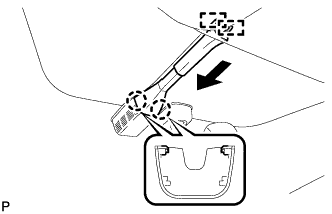
Disengage the 2 guides and slide the protector as shown in the illustration.
HUMIDITY SENSOR > REMOVAL |
| 1. REMOVE PROTECTOR |
|
Disengage the 2 guides and slide the protector as shown in the illustration.
Disengage the 2 claws and remove the protector.
| 2. REMOVE HUMIDITY SENSOR |
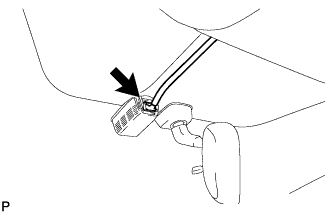 |
Disconnect the connector.
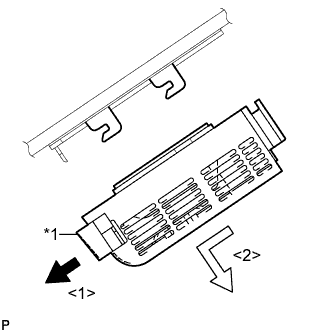 |
Release the stopper by pulling it down.
| *1 | Stopper |
Remove the humidity sensor as shown in the illustration.