Entry unlock mode switching function
- NOTICE:
- Because the key (for card type) does not have a wireless transmitter function, it cannot be used to change the entry unlock mode.
The following entry unlock modes can be selected when using the entry unlock mode switching function.
- All door unlock mode: When the sensor of a front door outside handle assembly is touched, an entry unlock operation is performed simultaneously for all doors.
- Driver door unlock mode: When the sensor of the front door outside handle assembly is touched, an entry unlock operation is performed for the driver door only. If any other door handle is touched, an entry unlock operation is performed simultaneously for all doors.
- All door unlock mode: When the sensor of a front door outside handle assembly is touched, an entry unlock operation is performed simultaneously for all doors.
When customizing through manual operation:
- Turn the power switch off.
- Intrusion sensor is off (Intrusion sensor cancel switch is on).
- Check that the LED of the key is not illuminated, and then press and hold the lock and unlock buttons of the key for 5 seconds or more while the key is in the actuation area.
- Check the current setting.
- HINT:
- The mode changes from all door unlock mode to driver door unlock mode and then back to all door unlock mode.
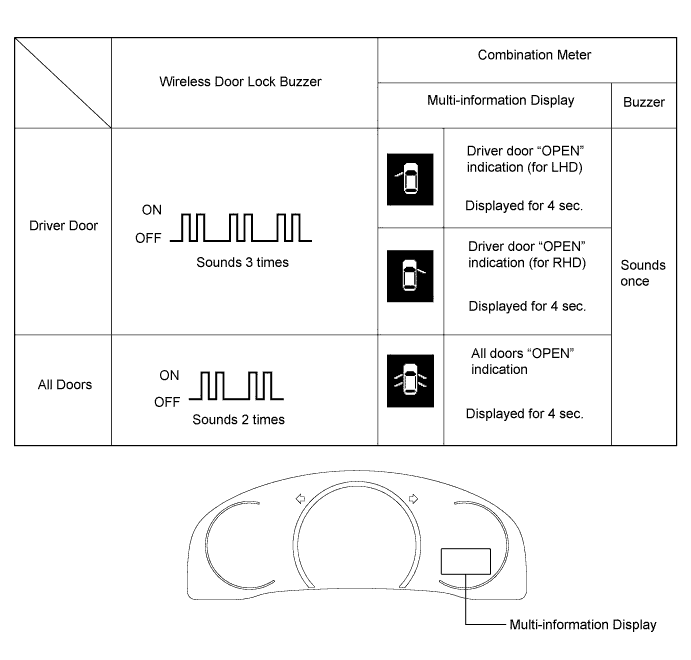
- The answer-back (wireless buzzer, buzzer in the combination meter assembly) performed for each mode is indicated in the table below.
Currently Selected Mode Answer-back (Wireless Buzzer) Answer-back (Buzzer in Combination Meter Assembly) All door unlock mode Buzzer sounds twice (short beeps) Buzzer sounds once ("pong" sound) Driver door unlock mode Buzzer sounds 3 times (short beeps) Buzzer sounds once ("pong" sound)
- Release the lock and unlock buttons of the key.
- Check that the LED of the key is not illuminated, and then press and hold the lock and unlock buttons of the key for 5 seconds or more to change the mode.
- HINT:
- Repeat the procedure as necessary to select the desired mode.
- Unlock the doors with the wireless operation, and then open any door
- Turn the power switch off.