DISASSEMBLY
Removal / installation
| 1. REMOVE CLUTCH PULLEY |

Using a screwdriver, remove the generator pulley cap.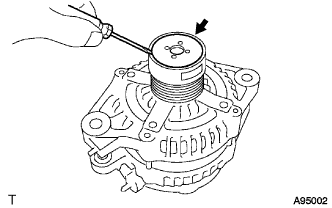

Set SST (A) and (B).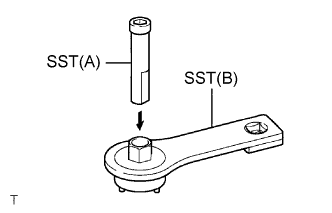
- SST
- 09820-63020
Clamp SST (A) in a vise.
Place the rotor shaft end into SST (A).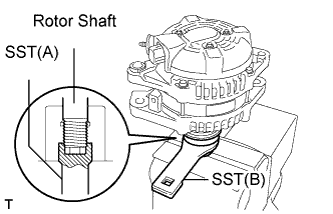
Fit SST (B) to the clutch pulley.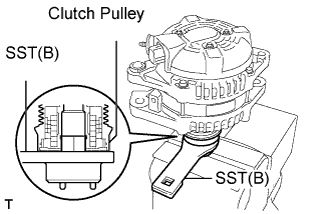
Loosen the pulley by turning SST (B) in the direction shown in the illustration.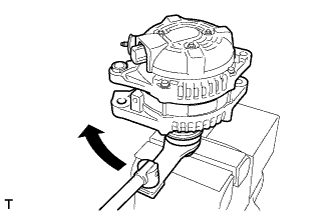
Remove the generator assembly from the SST.
Remove the clutch pulley from the rotor shaft.
| 2. REMOVE GENERATOR REAR END COVER |
Place the generator assembly on the clutch pulley.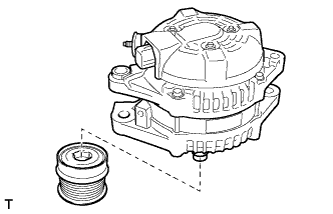
Remove the 3 nuts and end cover.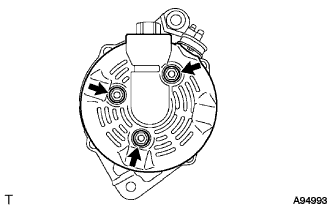
| 3. REMOVE TERMINAL INSULATOR |
Remove the terminal insulator from the generator coil.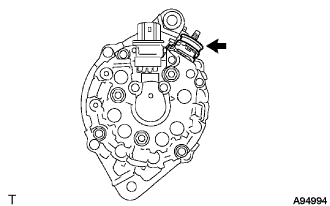
| 4. REMOVE GENERATOR BRUSH HOLDER ASSEMBLY |
Remove the 2 screws and brush holder from the generator coil.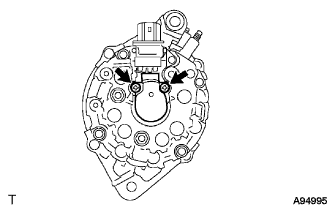
| 5. REMOVE GENERATOR COIL ASSEMBLY |
Remove the 4 bolts.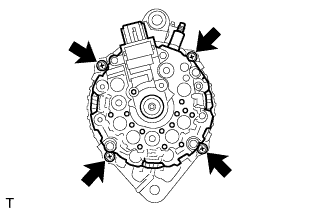
Using SST, remove the generator coil assembly.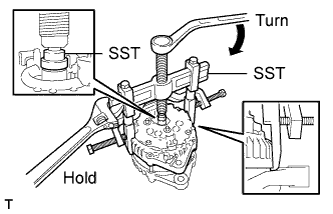
- SST
- 09950-40011
(09951-04020, 09952-04010, 09953-04020, 09954-04010, 09955-04071, 09957-04010, 09958-04011)
| 6. REMOVE GENERATOR ROTOR ASSEMBLY |
Remove the generator washer.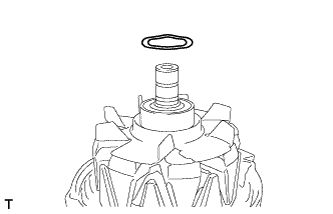
Remove the rotor assembly from the drive end frame.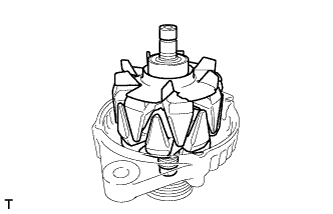
| 7. INSPECT GENERATOR DRIVE END FRAME BEARING |
Check that the drive end frame bearing is not rough or worn.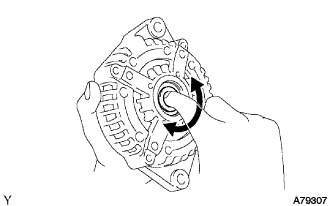
If necessary, replace the drive end frame bearing.
| 8. REMOVE GENERATOR DRIVE END FRAME BEARING |
Remove the 4 screws and retainer plate from the drive end frame.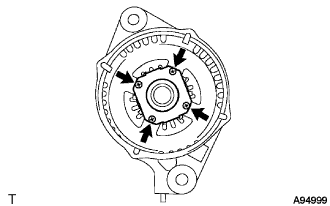
Using SST and a hammer, tap out the drive end frame bearing from the drive end frame.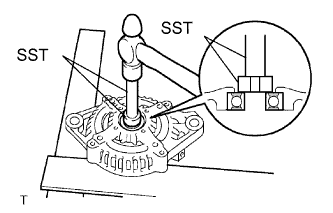
- SST
- 09950-60010
(09951-00250)
09950-70010 (09951-07100)