DISPLAY CHECK MODE
Troubleshooting
- HINT:
- This mode checks the color display on the multi-display.
- Illustrations may differ from the actual vehicle depending on the device settings and options. Therefore, some detailed areas may not be shown exactly the same as on the actual vehicle.
- This mode checks the color display on the multi-display.
| ENTER DIAGNOSTIC MODE (Click here) |
| DISPLAY CHECK |
Select "Display Check" from the "Diagnosis MENU" screen.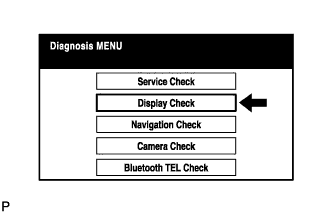

| COLOR BAR CHECK |
Select "Color Bar Check" from the "Display Check" screen.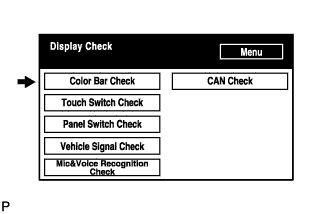
Select a color bar from the "Color Bar Check Mode" screen.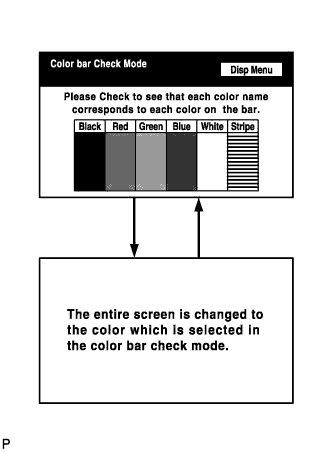
Check the display color.
- HINT:
- The entire screen turns to the color or stripe selected.
- Touching the display will return to the "Color Bar Check" screen.
- The entire screen turns to the color or stripe selected.
| TOUCH SWITCH CHECK |
Select "Touch Switch Check" from the "Display Check" screen.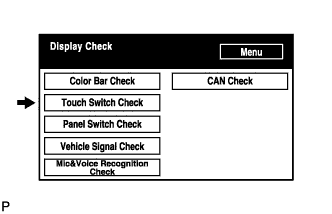
Touch the display anywhere in the open area to perform the check when the "Touch Switch Check" screen is displayed.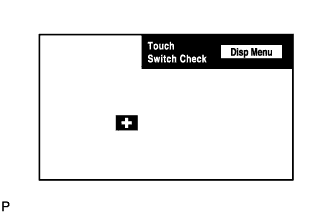
- HINT:
- A "+" mark is displayed where the display is touched.
- The "+" mark remains on the display even after the finger is removed.
- A "+" mark is displayed where the display is touched.
| PANEL SWITCH CHECK |
Select "Panel Switch Check" from the "Display Check" screen.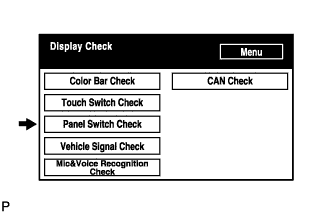
Operate each switch and check that the switch name and condition are correctly displayed.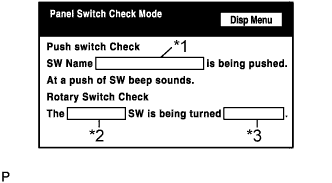
Display
Contents
Push switch name/*1
- Name of the pressed switch is displayed.
- If more than one switch is pressed, "MULTIPLE" is displayed.
Rotary switch name/*2
Name of the rotary switch is displayed.
Rotary switch direction/*3
Direction of the rotary switch is displayed.
- Name of the pressed switch is displayed.
| VEHICLE SIGNAL CHECK |
Select "Vehicle Signal Check" from the "Display Check" screen.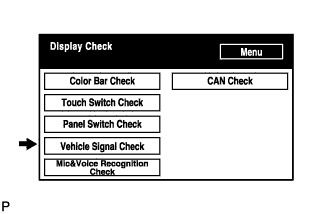
When the "Vehicle Signal Check Mode" screen is displayed, check all the vehicle signal conditions.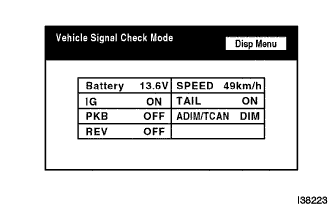
- HINT:
- Only conditions having inputs are displayed.
- This screen is updated once per second when input signals to the vehicle are changed.
- For details of this function, refer to DIAGNOSIS DISPLAY DETAILED DESCRIPTION (Click here).
- Only conditions having inputs are displayed.
| MIC & VOICE RECOGNITION CHECK |
Select "Mic & Voice Recognition Check" on the "Display Check" screen to display "MICROPHONE & VOICE RECOGNITION CHECK" screen.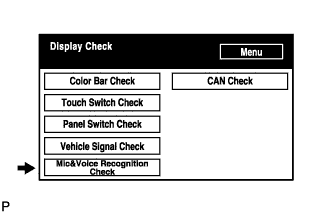
When voice is input into the microphone, check that the microphone input level meter changes according to the input voice.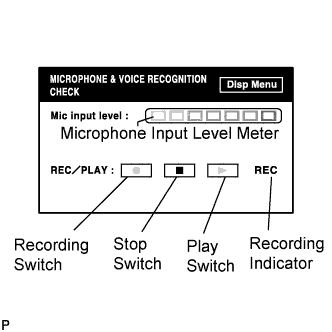
Push the recording switch and perform voice recording.
Check that the recording indicator remains on while recording and that the recorded voice is played normally.
- HINT:
- For details of this function, refer to DIAGNOSIS DISPLAY DETAILED DESCRIPTION (Click here).
| CAN CHECK |
Select "CAN check" from the "Display check" screen.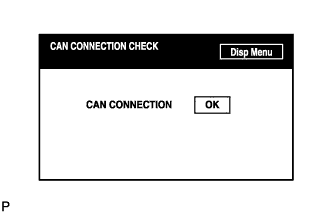
Check the CAN connection check result.
- HINT:
- This function operates only for the systems connected to the CAN system.
- For details of this function, refer to DIAGNOSIS DISPLAY DETAILED DESCRIPTION (Click here).
- This function operates only for the systems connected to the CAN system.