NAVIGATION CHECK MODE
Troubleshooting
- HINT:
- This mode displays GPS satellite information.
- Illustrations may differ from the actual vehicle depending on the device settings and options. Therefore, some detailed areas may not be shown exactly the same as on the actual vehicle.
- This mode displays GPS satellite information.
| ENTER DIAGNOSTIC MODE (Click here ) |
| NAVIGATION CHECK |
Select "Navigation Check" from the "Diagnosis MENU" screen.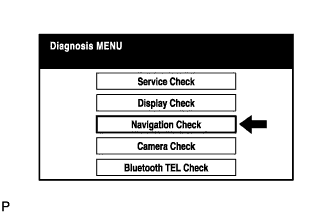

| GPS INFORMATION |
Select "GPS Information" from the "Navigation Check" screen.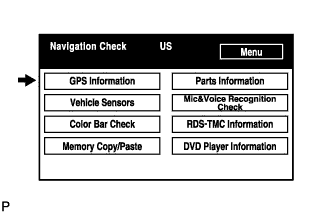
When GPS information is displayed, check the GPS conditions.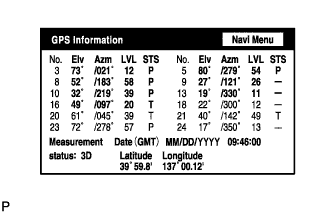
- HINT:
- This screen is updated once per second when input signals to the vehicle are changed.
- For details of this function, refer to DIAGNOSIS DISPLAY DETAILED DESCRIPTION (Click here).
- This screen is updated once per second when input signals to the vehicle are changed.
| VEHICLE SENSORS |
Select "Vehicle Sensors" from the "Navigation Check" screen.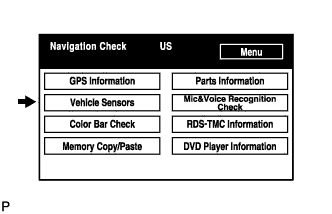
Check all the signals and sensors when vehicle signal information is displayed.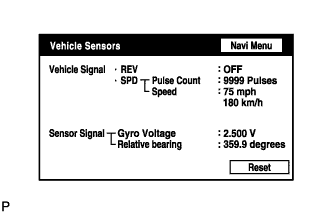
- HINT:
- This screen is updated once per second when input signals to the vehicle are changed.
- This screen displays vehicle signals input to the navigation ECU.
- For details of this function, refer to DIAGNOSIS DISPLAY DETAILED DESCRIPTION (Click here).
- This screen is updated once per second when input signals to the vehicle are changed.
| COLOR BAR CHECK |
Select "Color Bar Check" from the "Navigation Check" screen.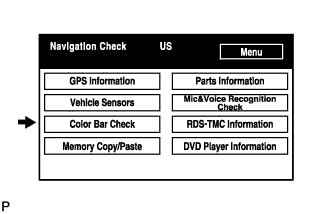
Check each color of the color bar when the "NAVI Color Bar Check" screen is displayed.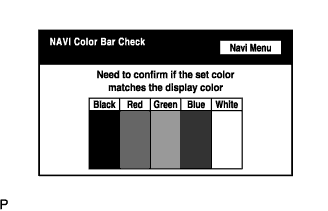
- HINT:
- Colors will not be displayed full-screen as in "Display Check Mode".
- This screen displays the navigation ECU display color.
- Colors will not be displayed full-screen as in "Display Check Mode".
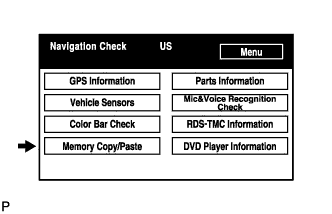
| MEMORY COPY/PASTE CHECK |
 |
- HINT:
- This function cannot be used.
| PARTS INFORMATION |
Select "Parts Information" from the "Navigation Check" screen.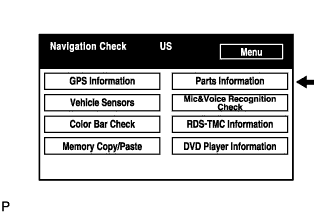
Check the navigation and disc information when the "Parts Information" screen is displayed.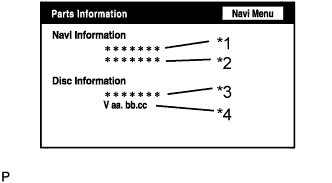
Screen Description: Display
Contents
Navigation Manufacturer/*1
Navigation ECU manufacturer is displayed.
Navigation Version/*2
Navigation ECU version is displayed.
Disc Manufacturer/*3
Map disc manufacturer is displayed.
Disc Version/*4
Map disc version is displayed.
| MIC & VOICE RECOGNITION CHECK |
Select "Mic & Voice Recognition Check" on the "Display Check" screen to display "MICROPHONE & VOICE RECOGNITION CHECK" screen.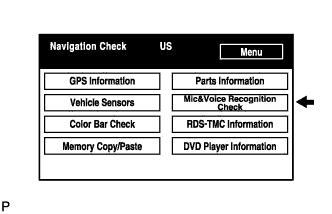
When voice is input into the microphone, check that the microphone input level meter changes according to the input voice.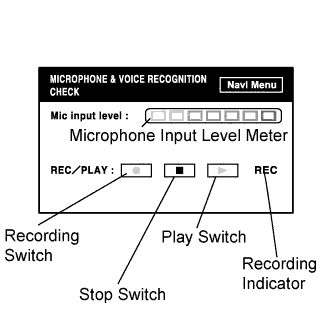
Push the recording switch and perform voice recording.
Check that the recording indicator remains on while recording and that the recorded voice is played normally.
- HINT:
- For details of this function, refer to DIAGNOSIS DISPLAY DETAILED DESCRIPTION (Click here).
- This function is controlled by the built-in navigation ECU.
- For details of this function, refer to DIAGNOSIS DISPLAY DETAILED DESCRIPTION (Click here).
| RDS-TMC INFORMATION |
Select "RDS-TMC Information" from the "Navigation Check" screen.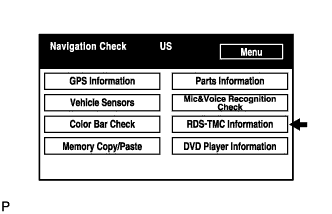
- HINT:
- This function is only for Europe models.
- This mode checks the RDS-TMC signal status input to the navigation ECU.
- This function is only for Europe models.
When RDS-TMC information is displayed, check the RDS-TMC conditions.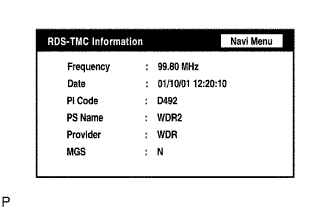
| DVD PLAYER INFORMATION CHECK |
Select "DVD Player Information" from the "Navigation Check" screen.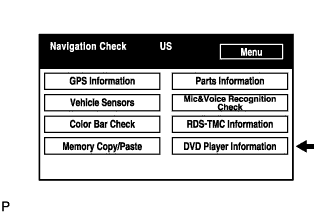
Check for DTCs.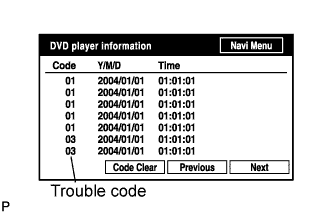
- HINT:
- This is a DVD player check function in the navigation ECU.
- For details of this function, refer to DIAGNOSIS DISPLAY DETAILED DESCRIPTION (Click here).
- This is a DVD player check function in the navigation ECU.