The Other Caller's Voice cannot be Heard, is too Quiet, or Distorted
Circuit diagnosis
INSPECTION PROCEDURE
| 1. CHECK CELLULAR PHONE |

Check if the voice on the other side can be heard using a cellular phone.
- OK:
- Voice can be heard.
|
|
||||

| OK | |
 |
| 2. CHECK NAVIGATION SYSTEM |
Check that voice guidance can be heard from the driver side speaker.
- OK:
- Voice guidance can be heard.
|
|
||||
| OK | |
|
| 3. CHECK SETTINGS |
Check if the volume level is set to low on the CALL screen.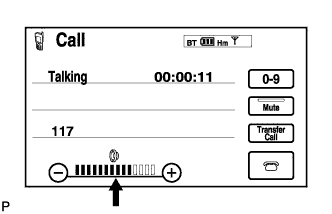

- OK:
- The level is not set low.
|
|
||||
| OK | |
|
| 4. CHECK SETTINGS |
Enter the "Handsfree Voice Quality Set" mode (Click here).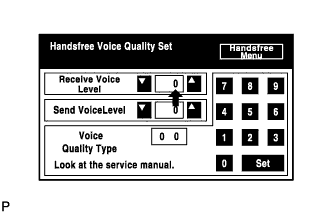
Check if the Receive Voice Level is set to "0".
- HINT:
- The Receive Voice Level can be set to 11 different levels, -5 to +5, with a 3 dB difference.
Check if the Receive Voice Level is set to the minimum or maximum level.
- HINT:
- When the Receive Voice Level is set to the minimum or maximum level, the sound may be distorted.
- OK:
- The Receive Voice Level is set to "0".
|
|
||||
| OK | ||
 |
||
| ||