| Last Modified: 11-27-2007 | 1.6 J | |
| Service Category: Audio/Visual/Telematics | Section: Navigation/Multi Info Display | |
| Model Year: 2008 | Model: LX570 | Doc ID: RM000000POJ02TX |
| Title: NAVIGATION / MULTI INFO DISPLAY: NAVIGATION SYSTEM: INSPECTION PROCEDURE (2008 LX570) | ||
|
Screen Flicker or Color Distortion |
INSPECTION PROCEDURE
PROCEDURE
|
1. |
CHECK DISPLAY SETTING |
|
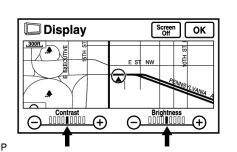
(a) Enter the display adjustment screen by pressing the "DISP" switch. |
(b) Reset the display settings (contrast, brightness) and check that the screen appears normal.
|
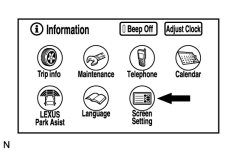
(c) Press the "INFO" switch and then select "Screen Setting". |
|
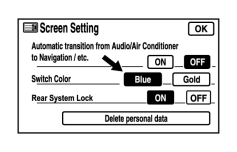
(d) Set the "Switch Color" to "Blue" (initial setting) and check if the display returns to normal. OK: Returns to normal. |
|

|
3. |
CHECK CABIN |
(a) Check that the cabin temperature is higher than -20°C (-4.0°F).
OK:
Cabin temperature is higher than -20°C (-4.0°F).
|
|
5. |
CHECK COLOR BAR (DISPLAY CHECK MODE) |
|
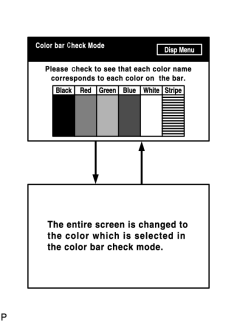
(a) Enter the "Display Check" mode and select "Color Bar Check"
|
(b) Check that the color bars match the displayed names.
OK:
Color bars match the displayed names.
|
|
7. |
CHECK NAVI COLOR BAR (NAVIGATION CHECK MODE) |
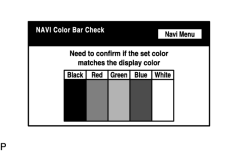
(a) Enter the "Navigation Check" mode and select "NAVI Color Bar Check"
 .
.
(b) Check that the color bars match the displayed names.
OK:
Color bars match the displayed names.
|

|

|