| Last Modified: 11-27-2007 | 1.6 D | |
| Service Category: Audio/Visual/Telematics | Section: Audio/Video | |
| Model Year: 2008 | Model: LX570 | Doc ID: RM000002UUK006X |
| Title: AUDIO / VIDEO: REAR SEAT ENTERTAINMENT SYSTEM: DISPLAY CHECK MODE (2008 LX570) | ||
DISPLAY CHECK MODE
HINT:
-
This mode checks the color display on the television display.
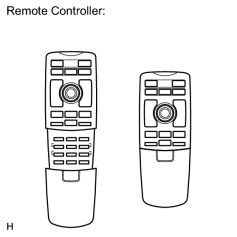
- Illustrations may differ from the actual vehicle depending on the device settings and options. Therefore, some detailed areas may not be exactly the same as on the actual vehicle.
- Use the remote controller for each inspection.
- The television display is not a touch panel type. Do not touch the screen.
1. ENTER DIAGNOSTIC MODE
(a) w/ Navigation System: Enter the diagnostic mode
 .
.
(b) w/o Navigation System: Enter the diagnostic mode
.
2. COLOR BAR CHECK
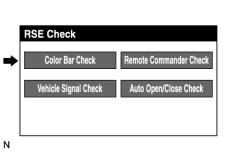
|
(a) Select "Color Bar Check" from the "RSE Check" screen. |
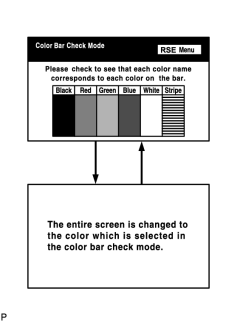
|
(b) Select a color bar from the "Color Bar Check Mode" screen. |
(c) Check the display color.
HINT:
- The entire screen turns to the color or stripe selected.
- The screen returns to the "Color Bar Check" screen if the remote controller is operated again.
3. REMOTE COMMANDER CHECK
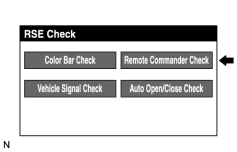
|
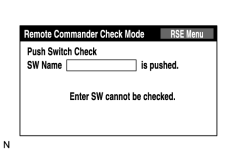
(a) Select "Remote Commander Check" from the "RSE Check" screen. |
|
(b) Operate each switch and check that the switch name and condition are correctly displayed. |
4. VEHICLE SIGNAL CHECK
|
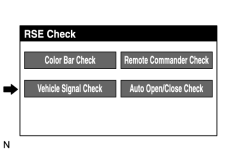
(a) Select "Vehicle Signal Check" from the "RSE Check" screen. |
|
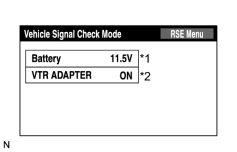
(b) When the "Vehicle Signal Check Mode" screen is displayed, check all the vehicle signal conditions. HINT:
|
5. AUTO OPEN/CLOSE CHECK
|
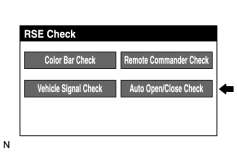
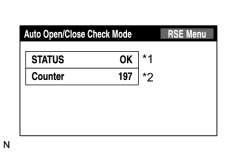
(a) Select "Auto Open/Close Check" screen. |
|
(b) This is the screen for inspecting the electronic open and close function of the RSE.
|

|

|