| Last Modified: 11-27-2007 | 1.6 J | |
| Service Category: Vehicle Interior | Section: Meter/Gauge/Display | |
| Model Year: 2008 | Model: LX570 | Doc ID: RM000002ZM7005X |
| Title: METER / GAUGE / DISPLAY: METER / GAUGE SYSTEM: DESCRIPTION (2008 LX570) | ||
|
Tachometer Malfunction |
DESCRIPTION
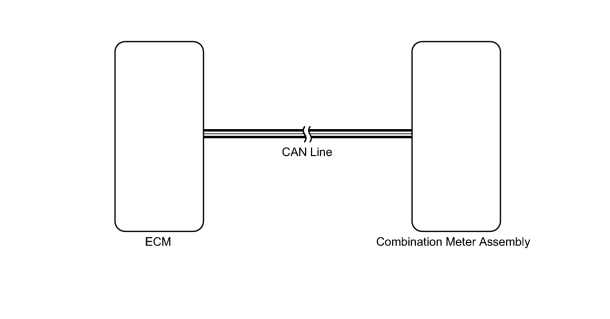
The combination meter receives engine speed signals from the ECM via the CAN line. The combination meter displays engine speed data that is calculated based on the data received from the ECM.
WIRING DIAGRAM
INSPECTION PROCEDURE
PROCEDURE
|
1. |
CHECK CAN COMMUNICATION SYSTEM |
(a) Check for DTCs
 .
.
Result
|
Result |
Proceed to |
|---|---|
|
CAN communication system DTC is not output |
A |
|
CAN communication system DTC is output |
B |
|

|
2. |
PERFORM ACTIVE TEST USING TECHSTREAM (TACHOMETER) |
(a) Operate the Techstream according to the display and select the Active Test
.
Combination Meter
|
Tester Display |
Test Part |
Control Range |
Diagnostic Note |
|---|---|---|---|
|
TachoMeter Operation |
Tachometer |
0, 1000, 2000, 3000, 4000, 5000, 6000 or 7000 |
Perform the test with the vehicle stopped and the engine idling. |
HINT:
Make sure that the vehicle is stopped and the engine is idling.
OK:
Needle indication is normal.
|
|
3. |
READ VALUE USING TECHSTREAM (TACHOMETER) |
(a) Operate the Techstream according to the display and select the Data List
.
Combination Meter
|
Tester Display |
Measurement Item/Range |
Normal Condition |
Diagnostic Note |
|---|---|---|---|
|
Engine Rpm |
Engine speed/Min.: 0, Max.: 12750 |
Idling: 700 to 800 |
Unit: rpm |
OK:
Engine speed displayed on the Techstream is almost the same as actual engine speed.
|
|
4. |
READ VALUE USING TECHSTREAM (ENGINE SPEED) |
(a) Operate the Techstream according to the display and select the Data List
.
Result
|
Result |
Proceed to |
|---|---|
|
Engine speed displayed on Techstream is almost same as actual engine speed |
A |
|
Engine speed displayed on Techstream is not same as actual engine speed |
B |
|

|

|