| Last Modified: 11-27-2007 | 1.6 A | |
| Service Category: Power Source/Network | Section: Battery/Charging | |
| Model Year: 2008 | Model: LX570 | Doc ID: RM0000039HO003X |
| Title: POWER OUTLETS (INT): POWER OUTLET SOCKET: INSTALLATION (2008 LX570) | ||
INSTALLATION
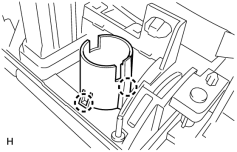
1. INSTALL POWER OUTLET SOCKET COVER
|
(a) Attach the 2 claws to install the socket cover. |
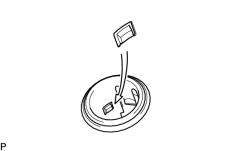
2. INSTALL POWER OUTLET SOCKET ASSEMBLY
|
(a) Align the protrusion on the inside of the cover with the hole of the socket. Then push the socket into the cover. |
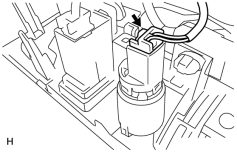
|
(b) Connect the connector. |
3. INSTALL POSITION INDICATOR HOUSING ASSEMBLY
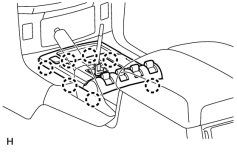
(a) Connect the connectors.
|
(b) Attach the 7 claws to install the position indicator housing. |
4. INSTALL CONSOLE CUP HOLDER BOX SUB-ASSEMBLY

5. INSTALL SHIFT LEVER KNOB SUB-ASSEMBLY

|

|