| Last Modified: 11-27-2007 | 1.6 A | |
| Service Category: Audio/Visual/Telematics | Section: Navigation/Multi Info Display | |
| Model Year: 2008 | Model: LX570 | Doc ID: RM000003B6H002X |
| Title: NAVIGATION / MULTI INFO DISPLAY: DISPLAY AND NAVIGATION ASSEMBLY (w/ Navigation System): REMOVAL (2008 LX570) | ||
REMOVAL
1. REMOVE ENGINE ROOM SIDE COVER LH

2. DISCONNECT CABLE FROM NEGATIVE BATTERY TERMINAL
NOTICE:
-
w/ Navigation System:
After the engine switch is turned off, the HDD navigation system requires approximately 6 minutes to record various types of memory and settings. As a result, after turning the engine switch off, wait 6 minutes or more before disconnecting the cable from the negative (-) battery terminal.
-
When disconnecting the cable, some systems need to be initialized after the cable is reconnected
.
3. REMOVE NO. 3 INSTRUMENT PANEL REGISTER ASSEMBLY
4. REMOVE NO. 4 INSTRUMENT PANEL REGISTER ASSEMBLY
5. REMOVE DISPLAY AND NAVIGATION MODULE DISPLAY
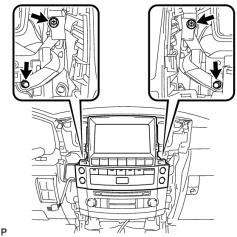
|
(a) Remove the 2 screws and 2 bolts. |
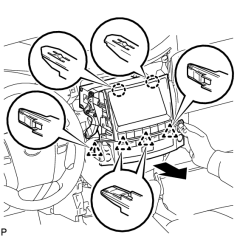
|
(b) Pull the radio receiver to detach the 2 claws and 4 clips on the backside of the display. |
(c) Disconnect the connectors and remove the display.
6. REMOVE NO. 1 RADIO RECEIVER BRACKET
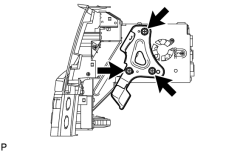
|
(a) Remove the 3 bolts and bracket. |
7. REMOVE NO. 2 RADIO RECEIVER BRACKET
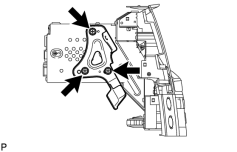
|
(a) Remove the 3 bolts and bracket. |

|

|