Vehicle Position Mark is not Updated
Circuit diagnosis
INSPECTION PROCEDURE
| 1. CHECK MAP DISC |

Check that the map disc is not deformed or cracked.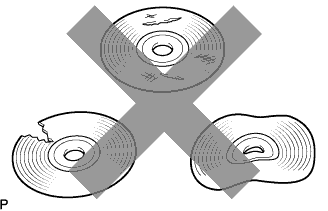

- OK:
- No deformations or cracks on map disc.
|
|
||||

| OK | |
 |
| 2. CHECK MAP DISPLAY |
Check if a touch scroll can be performed on the map display.
- OK:
- Touch scroll can be performed.
|
|
||||
| OK | |
|
| 3. CHECK VEHICLE SENSOR (NAVIGATION CHECK MODE) |
Enter the "Navigation Check" mode (Vehicle Sensors) (Click here).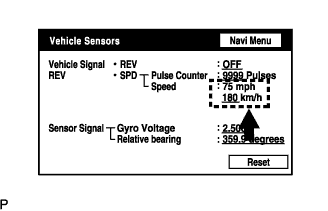
While driving the vehicle, compare the "Speed" indicator to the reading on the speedometer. Check if these readings are almost equal.
- OK:
- The readings are almost equal.
|
|
||||
| OK | ||
 |
||
| ||