NAVIGATION CHECK MODE
Troubleshooting
- HINT:
- This mode displays GPS satellite information.
- Illustrations may differ from the actual vehicle depending on the device settings and options. Therefore, some detailed areas may not be shown exactly the same as on the actual vehicle.
- This mode displays GPS satellite information.
| ENTER DIAGNOSTIC MODE (Click here). |
| NAVIGATION CHECK |
Select "Navigation Check" from the "Diagnosis MENU" screen.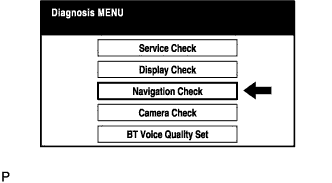

| GPS INFORMATION |
Select "GPS Information" from the "Navigation Check" screen.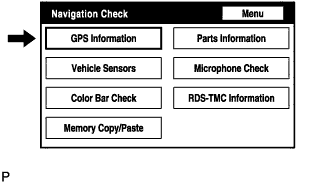
When GPS information is displayed, check the GPS conditions.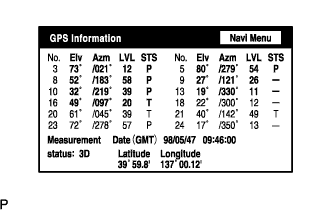
- HINT:
- This screen is updated once per second when input signals to the vehicle are changed.
| VEHICLE SENSORS |
Select "Vehicle Sensors" from the "Navigation Check" screen.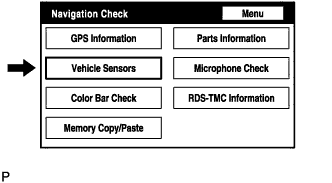
Check all the signals and sensors when vehicle signal information is displayed.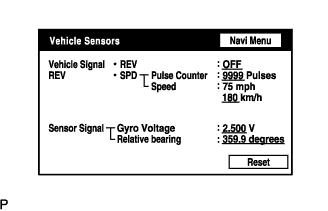
- HINT:
- This screen is updated once per second when input signals to the vehicle are changed.
| COLOR BAR CHECK |
Select "Color Bar Check" from the "Navigation Check" screen.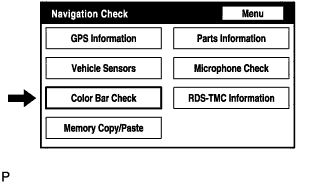
Check each color of the color bar when the "NAVI Color Bar Check" screen is displayed.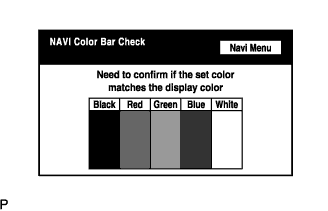
- HINT:
- Colors will not be displayed full-screen as in "Display Check Mode".
| PARTS INFORMATION |
Select "Parts Information" from the "Navigation Check" screen.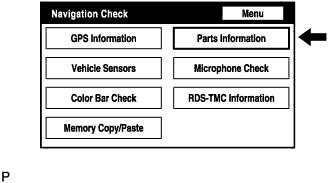
Check the navigation and disc information when the "Parts Information" screen is displayed.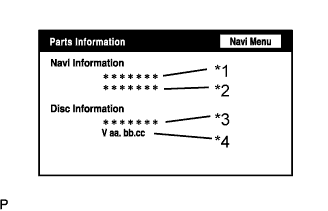
Display
Contents
Navigation Manufacturer/*1
Navigation ECU manufacturer name is displayed.
Navigation Version/*2
Navigation ECU version is displayed.
Disc Manufacturer/*3
Map disc manufacturer is displayed.
Disc Version/*4
Map disc version is displayed.
| MICROPHONE CHECK |
Select "Microphone Check" from the "Navigation Check" screen.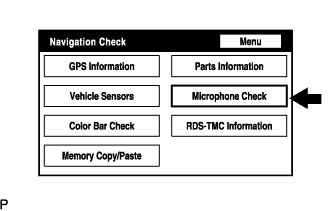
Perform the microphone check by following the directions on the "Microphone Check" screen.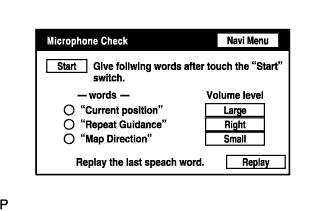
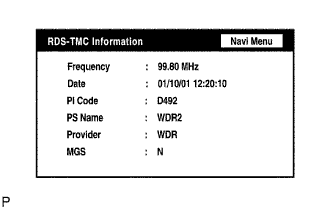
| RDS-TMC INFORMATION |
Select "RDS-TMC Information" from the "Navigation Check" screen.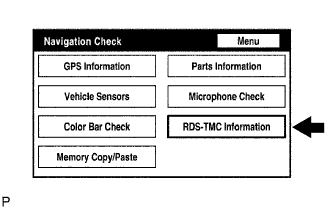
- HINT:
- This function is only for Europe models.
- This mode checks the RDS-TMC signal status input to the navigation ECU.
- This function is only for Europe models.
When RDS-TMC information is displayed, check the RDS-TMC conditions.