DISPLAY CHECK MODE
Troubleshooting
- HINT:
- This mode checks the color display on the multi-display.
- Illustrations may differ from the actual vehicle depending on the device settings and options. Therefore, some detailed areas may not be shown exactly the same as on the actual vehicle.
- This mode checks the color display on the multi-display.
| ENTER DIAGNOSTIC MODE (Click here). |
| DISPLAY CHECK |
Select "Display Check" from the "Diagnosis MENU" screen.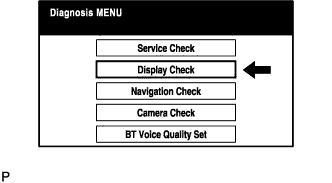

| COLOR BAR CHECK |
Select "Color Bar Check" from the "Display Check" screen.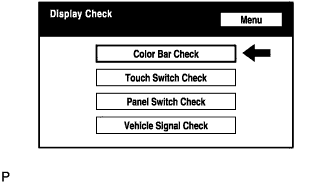
Select a color bar from the "Color Bar Check Mode" screen.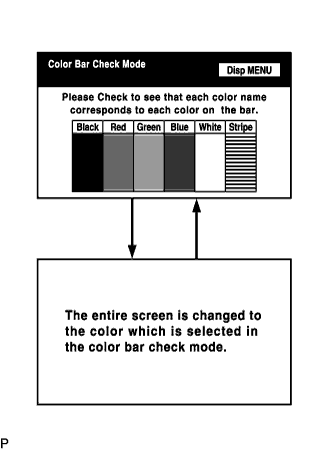
- HINT:
- The entire screen turns to the color or stripe selected.
- Touching the display will return to the "Color Bar Check Mode" screen.
- The entire screen turns to the color or stripe selected.
| TOUCH SWITCH CHECK |
Select "Touch Switch Check" from the "Display Check" screen.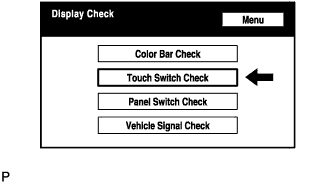
Touch the display anywhere in the open area to perform the check when the "Touch Switch Check" screen is displayed.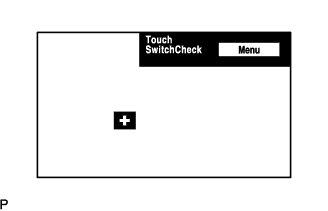
- HINT:
- A "+" mark is displayed where the display is touched.
- The "+" mark remains on the display even after the finger is removed.
- A "+" mark is displayed where the display is touched.
| PANEL SWITCH CHECK |
Select "Panel Switch Check" from the "Display Check" screen.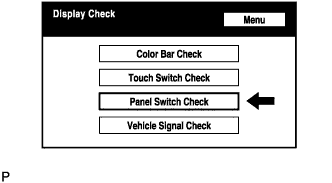
Operate each switch and check that the switch name and condition are correctly displayed.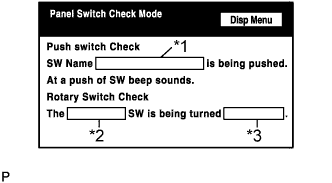
Display
Contents
Push switch name/*1
- Name of the pressed switch is displayed.
- If more than one switch is pressed, "MULTIPLE" is displayed.
Rotary switch name/*2
Name of the rotary switch is displayed.
Rotary switch direction/*3
Direction of the rotary switch is displayed.
- Name of the pressed switch is displayed.
| VEHICLE SIGNAL CHECK |
Select "Vehicle Signal Check" from the "Display Check" screen.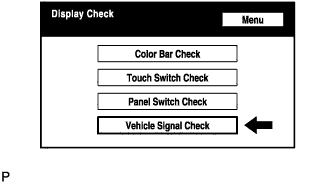
When the "Vehicle Signal Check Mode" screen is displayed, check all the vehicle signal conditions.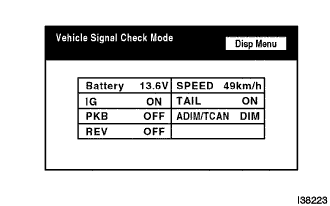
- HINT:
- Only conditions having inputs are displayed.
- This screen is updated once per second when input signals to the vehicle are changed.
- Only conditions having inputs are displayed.