REMOVAL
Removal / installation
| 1. REMOVE CONSOLE BOX HOLE COVER |

Slide the front seat assemblies RH and LH forward.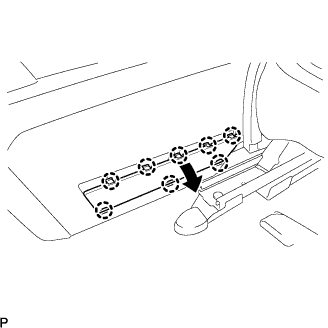

Slide the console box assembly fully to the back end and remove the console box hole cover.
| 2. REMOVE CONSOLE BOX NO.2 HOLE COVER |
- HINT:
- Use the same procedures for the console box No.2 hole cover and the console box hole cover.
| 3. REMOVE REAR CONSOLE BOX |
Separate the console box lock control cable assembly from the rear console box.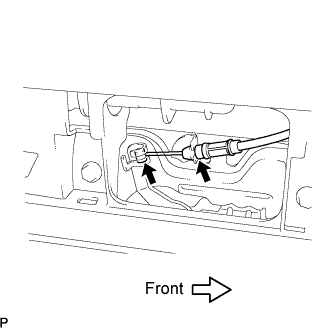
Keeping the rear console box pulled in the rear direction of the vehicle, remove the 6 bolts from the left and right sides.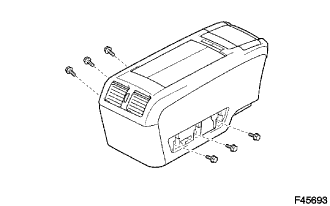
Disconnect each of the clamp and connector.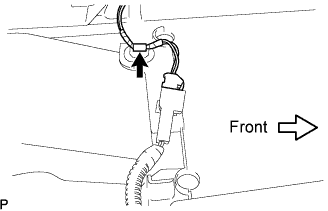
Remove the rear console box.