Previous Next

Mitsubishi

Brake Caliper

REMOVAL & INSTALLATION

Mirage
FRONT
  1. Before servicing the vehicle, refer to the precautions in the beginning of this section.
  2. Remove the wheels.
  3. Disconnect the brake hose.
  4. Remove the caliper guide and lock pins. Remove the caliper assembly from the caliper support.

    To install

  5. Position the brake caliper onto the caliper support. Install and tighten the guide and lock pins.
  6. Reconnect the brake hose.
  7. Bleed the brake system.
  8. Install the wheels.

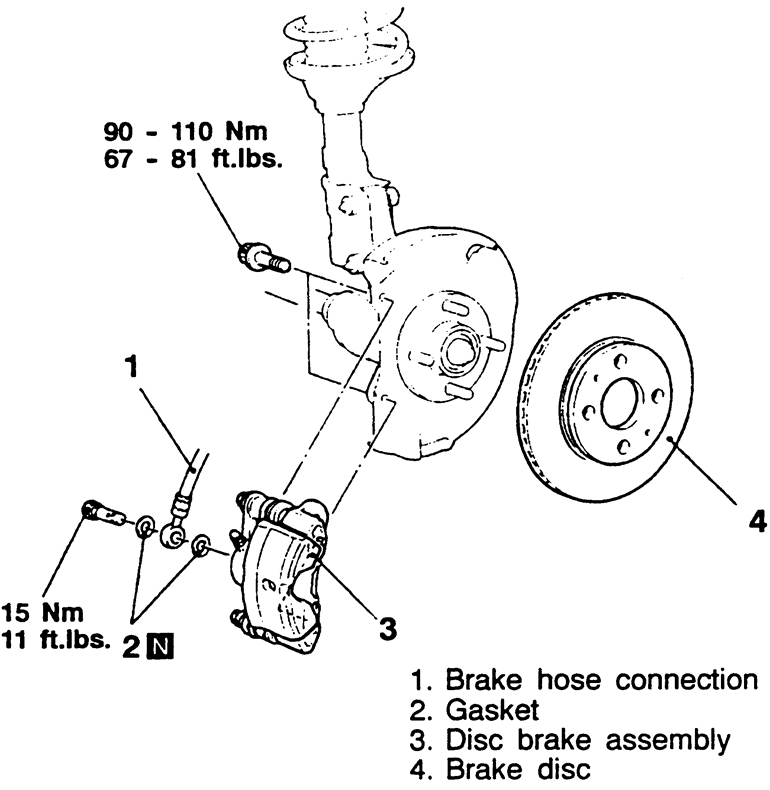
    Fig. 1: Front disc brakes — Mirage

Eclipse
FRONT
  1. Before servicing the vehicle, refer to the precautions in the beginning of this section.
  2. Remove the wheels.
  3. Disconnect the brake hose.
  4. Remove the caliper guide and lock pins. Remove the caliper assembly from the caliper support.

    To install

  5. Position the brake caliper onto the caliper support. Install and tighten the guide and lock pins.
  6. Reconnect the brake hose.
  7. Bleed the brake system.
  8. Install the wheels.

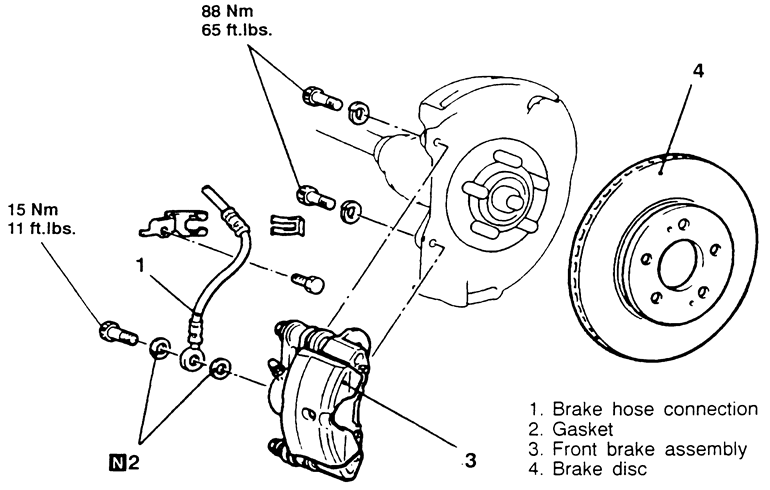
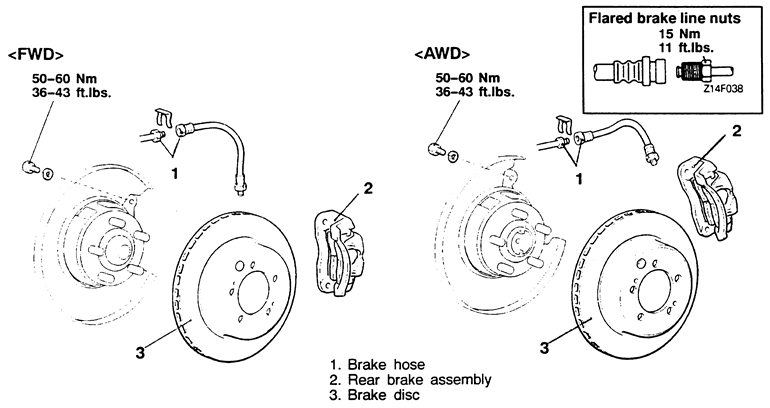
    Fig. 2: Front and rear disc brakes — Eclipse

REAR
  1. Before servicing the vehicle, refer to the precautions in the beginning of this section.
  2. Loosen the parking brake cable adjustment from inside the vehicle.
  3. Remove the wheels.
  4. Disconnect the brake hose.
  5. Remove the caliper lock pin. Pivot the caliper upward, and slide the caliper assembly from the caliper support.

    To install:

  6. Install the caliper over the brake pads.
  7. Lubricate and install the lock pin and tighten to 23 ft. lbs. (32 Nm).
  8. Install the brake hose to the caliper.
  9. Bleed the brake system.
  10. Install the wheels.
Diamante and Galant
FRONT AND REAR
  1. Before servicing the vehicle, refer to the precautions in the beginning of this section.
  2. Remove the wheels.
  3. Disconnect the brake hose from the caliper.
  4. Remove the caliper guide and lock pins and lift the caliper assembly from the caliper support.

    To install

  5. Position the caliper onto the caliper support. Install the guide pin and lock pin. Tighten to specification.
  6. Reconnect the brake hose or install the banjo bolt with new washers.
  7. Bleed the brake system.
  8. Install the wheels.

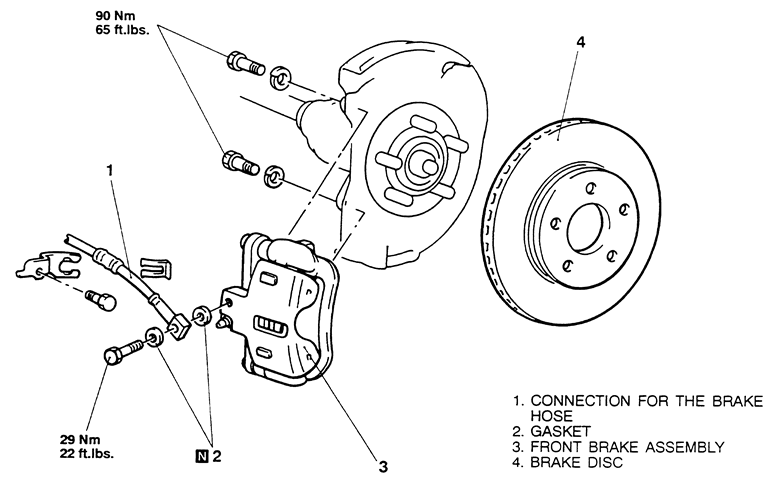
    Fig. 3: Front disc brakes — Diamante

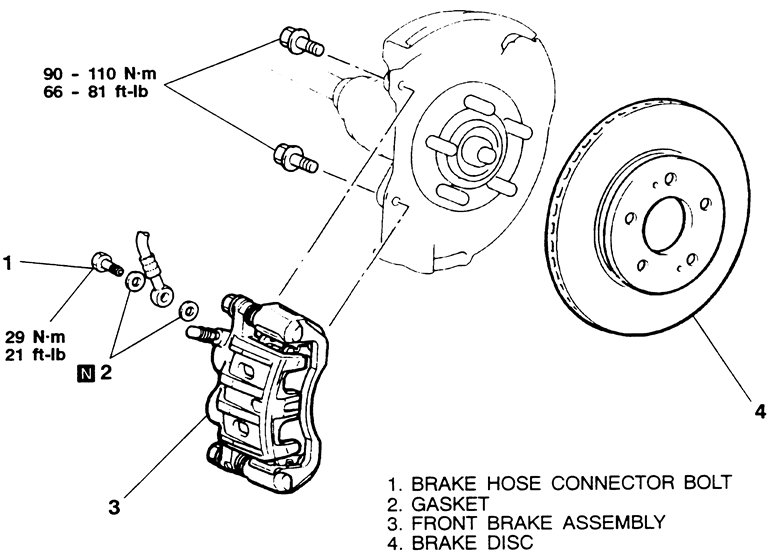
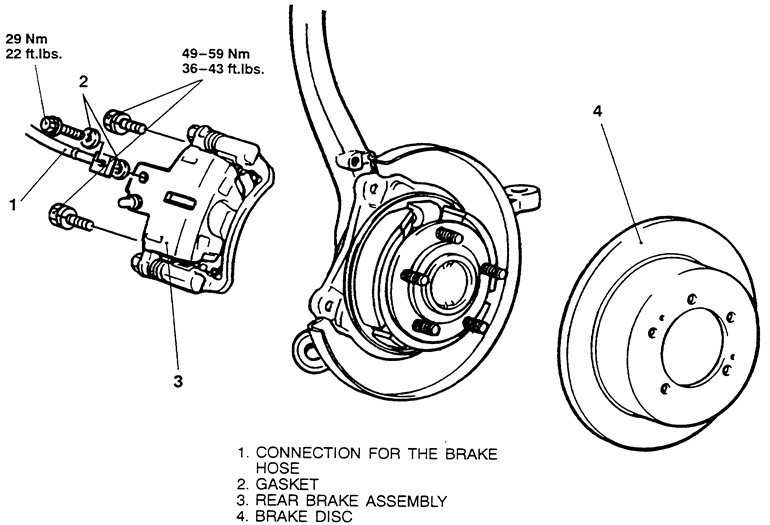
    Fig. 4: Front disc brakes — Galant

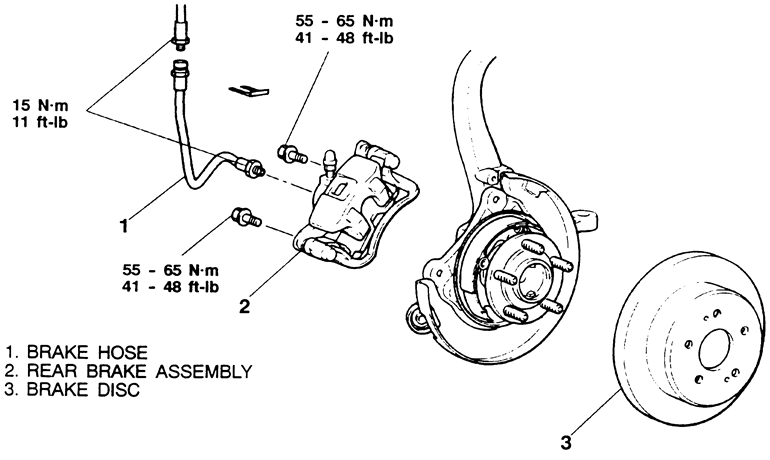
    Fig. 5: Rear disc brakes — Diamante

    Fig. 6: Rear disc brakes — Galant

3000GT
FRONT AND REAR
  1. Before servicing the vehicle, refer to the precautions in the beginning of this section.
  2. Remove the wheels.
  3. Disconnect the brake hose.
  4. Remove the caliper lock pins and remove the caliper.

    To install:

  5. Install the brake caliper to the caliper support and torque the bolts to 65 ft. lbs. (90 Nm).
  6. Connect the brake hose and torque to 11 ft. lbs. (15 Nm).
  7. Refill the brake fluid as required and bleed the brakes.

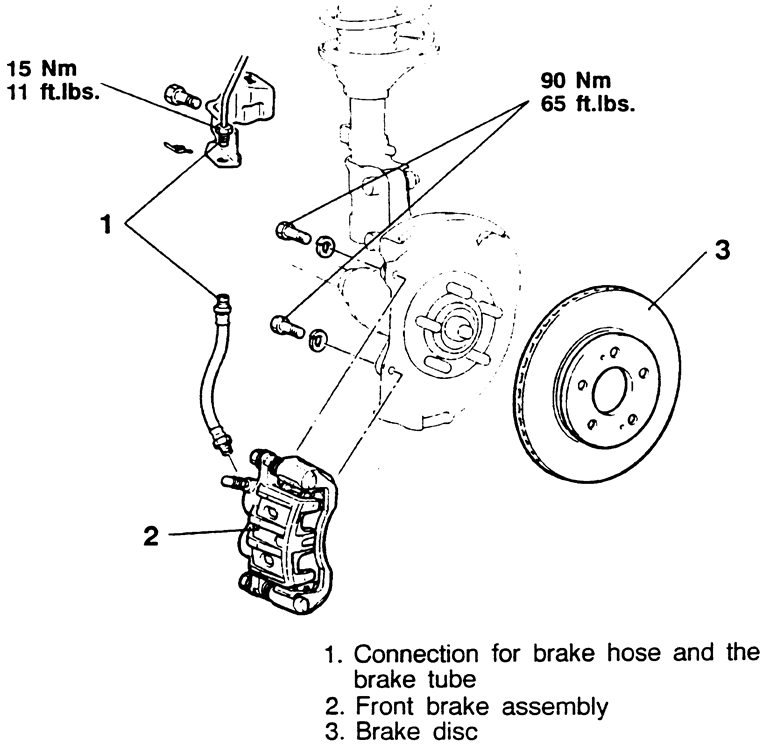
    Fig. 7: Front disc brakes — 3000GT

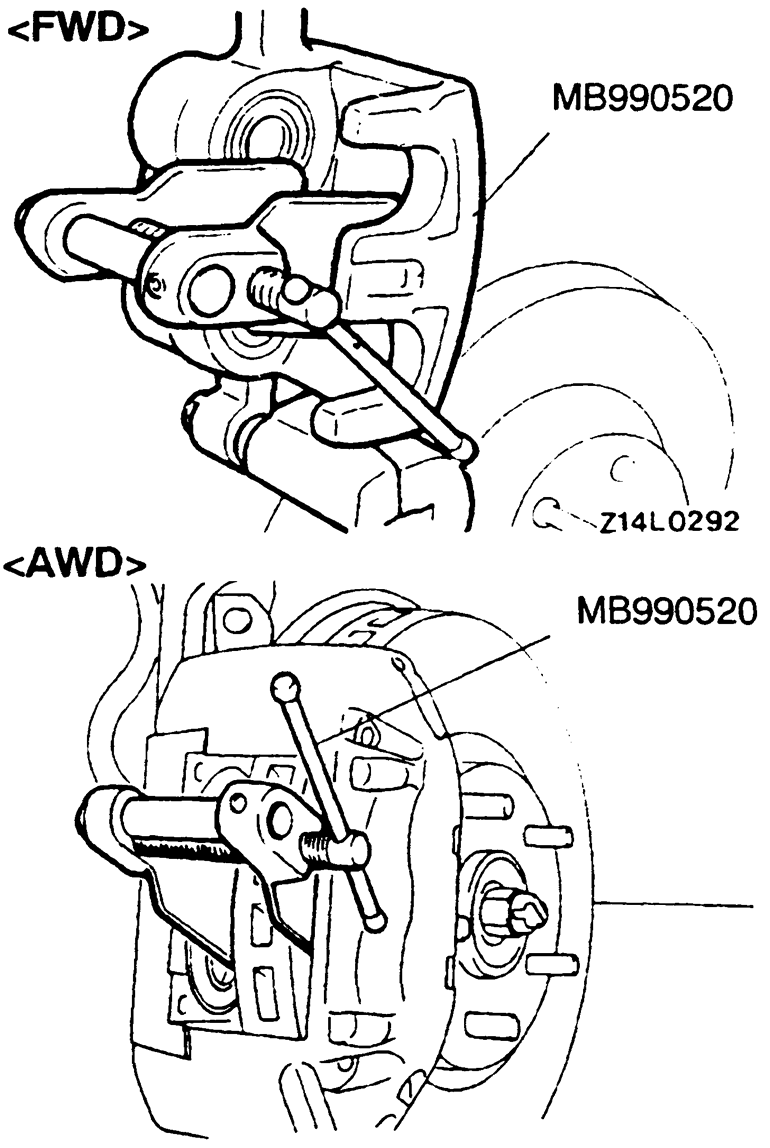
    Fig. 8: Compressing the caliper pistons — 3000GT

    Fig. 9: Rear disc brakes — 3000GT

Previous Next