RM1440E
_58
Vehicle Interior
_056157
LIGHTING (INT)
_0274073
ROOM LIGHT(for Front)
A
LIGHTING (INT) ROOM LIGHT(for Front) REMOVAL
PROCEDURE

 84977
1.REMOVE DRIVE MONITOR SWITCH
a.
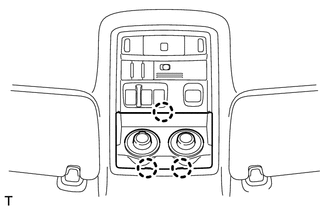
Detach the 3 claws and remove the switch.
b.
Disconnect the connector.
81260A
2.REMOVE MAP LIGHT ASSEMBLY
a.
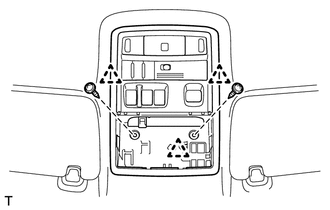
Remove the 2 screws.
b.
Detach the 3 clips and remove the light.
c.
Disconnect the connector.
81260C
3.REMOVE MAP LIGHT BULB
a.
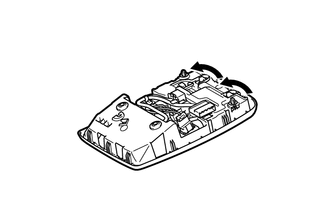
Turn the 2 map light bulbs in the direction indicated by the arrows and remove them.