METER / GAUGE / DISPLAY METER / GAUGE SYSTEM CALIBRATION
Initial Calibration of Compass:
The compass indicates the direction that the vehicle is heading by detecting the direction and strength of the earth's magnetic field and processing this data using the compass sensor and microcomputer. Detection of the direction and strength of the earth's magnetic field varies according to the area in which the vehicle is used and is affected by the residual magnetism of the vehicle. For this reason, the geographic direction displayed may also deviate from the direction determined by the earth's magnetic field according to the area in which the vehicle is used. Therefore, perform the initial calibration of the compass prior to delivery to customers.
DEVIATION CALIBRATION PROCEDURE
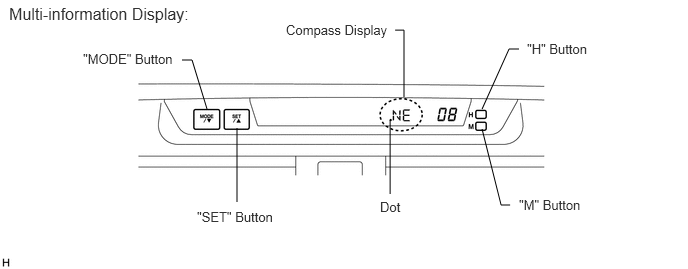
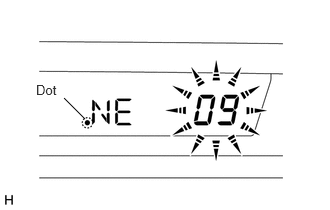
Turn the ignition switch to ON and turn the taillight on, and then push the "MODE" button for more than a few seconds until the number (1 - 15) appears on the display.
- HINT:
-
The dot on the compass display appears when calibration is not completed.
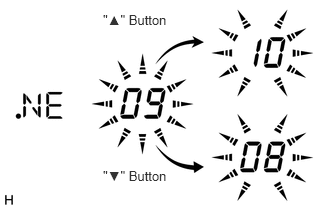
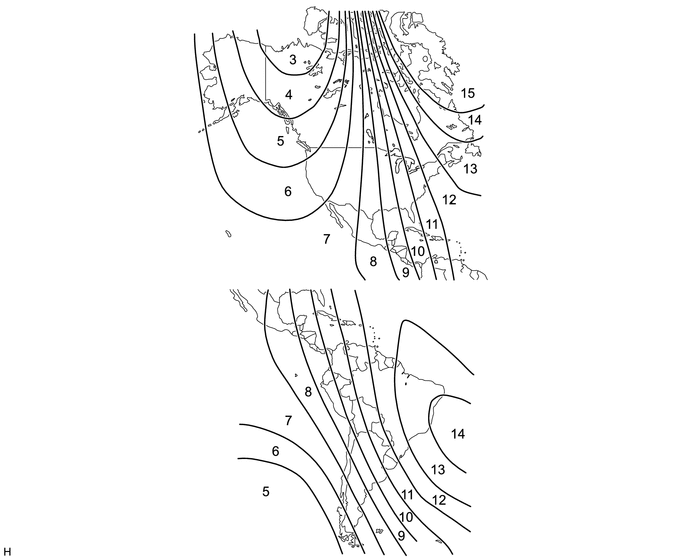
Push the "▲" or "▼" button, referring to the following map to select the number of the zone where the vehicle is located. After calibration, leave the system for 6 seconds or push the "SET" button for more than a few seconds.
CIRCLING CALIBRATION PROCEDURE
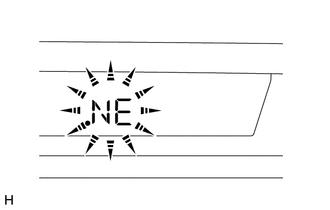
Start the engine and push the "MODE" button for more than a few seconds.
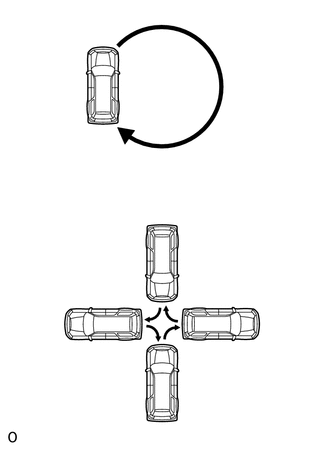
Drive the vehicle slowly at 8 km/h (5 mph) or less in a circle. If there is not enough space to drive in a circle, turn the car around in the following manner, doing two three-point turns in succession. After driving in 1 to 3 circles in the above method, calibration is completed when the direction is shown on the display.
- HINT:
- ·
Do not perform calibration of the compass in a place where the earth's magnetic field is subject to interference by artificial magnetic fields (in an underground parking lot, under a steel tower, between buildings, in a parking lot on a roof, near a crossing, near a large vehicle, etc.).
·During calibration, do not operate electrical systems (sliding roof, power windows, etc.) as they may interfere with the calibration.
·The dot on the compass display disappears when calibration is completed.