 |
TIRE PRESSURE WARNING SYSTEM > INITIALIZATION |
|
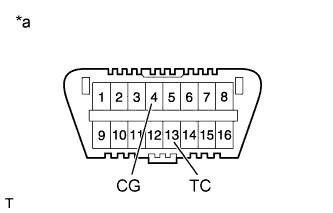
| *a | Front view of DLC3 |
| BEFORE INITIALIZATION |
Make sure that the tires are cold.
Set the air pressure of all tires to the specified value(s) (Click here).
| INITIALIZATION PROCEDURE |
Turn the ignition switch to ON.
Press and hold the tire pressure warning reset switch for 3 seconds or more so that the tire pressure warning light blinks 3 times.
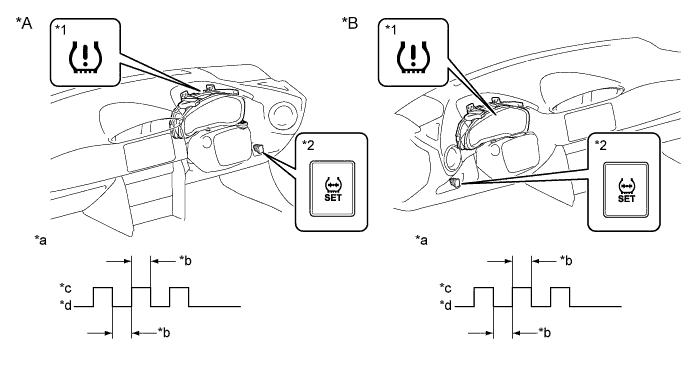
| *A | for RHD | *B | for LHD |
| *1 | Tire Pressure Warning Light | *2 | Tire Pressure Warning Reset Switch |
| *a | Tire Pressure Warning Light Output Pattern | *b | 1 second |
| *c | ON | *d | OFF |
Turn the ignition switch off.
Connect the GTS to the DLC3.
Turn the ignition switch to ON and turn the GTS on.
Enter the following menus: Chassis / Tire Pressure Monitor / Data List.
Check that initialization has been completed.
Confirm that the tire pressure data of all tires is displayed on the GTS screen.