DTC CHECK / CLEAR
Troubleshooting · Vehicles built from Oct 2006
| CHECK DTC |
Connect the intelligent tester to the DLC3.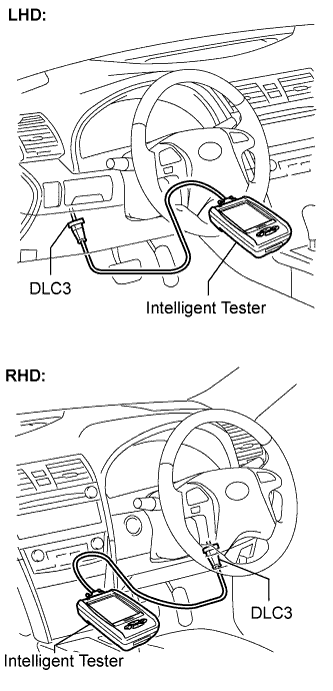

Turn the engine switch on (IG).
Enter the following menu items: DIAGNOSIS / ENHANCED OBD II / DTC INFO / CURRENT CODES.
Read the DTC by following the prompts on the tester screen.
- HINT:
- Refer to the intelligent tester operator's manual for further details.
| CLEAR DTC |
Connect the intelligent tester to the DLC3.
Turn the engine switch on (IG).
Enter the following menu items: DIAGNOSIS / ENHANCED OBD II / DTC INFO / CLEAR CODES.
Erase the DTC by following the directions on the tester screen.
- HINT:
- Refer to the intelligent tester operator's manual for further details.