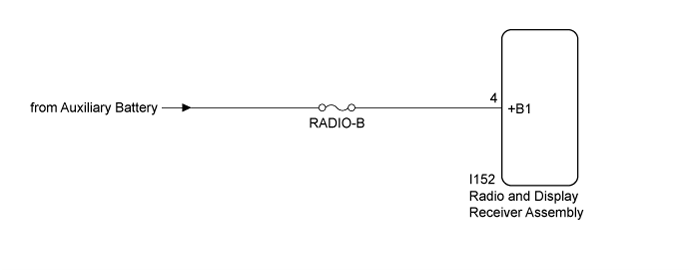
DTC B158F AV Signal Stoppage (Low Battery Voltage) |
| DTC No. | DTC Detection Condition | Trouble Area |
| B158F | A video or audio signal is interrupted when the auxiliary battery voltage drops | Radio and display receiver assembly |
| 1.CHECK VEHICLE SIGNAL (OPERATION CHECK) |
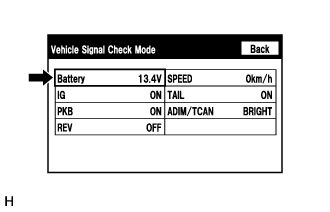 |
Enter the "Vehicle Signal Check Mode" screen. Refer to Check Vehicle Signal in Operation Check (Click here).
Measure the auxiliary battery voltage with the power switch off.
|
| ||||
| OK | |
 |
| 2.CHECK DTC |
Clear the DTCs (Click here).
Recheck for DTCs and check that no DTCs are output.
|
| ||||
| OK | ||
 | ||
| ||
| 3.CHECK HARNESS AND CONNECTOR (RADIO AND DISPLAY RECEIVER ASSEMBLY POWER SOURCE) |
Disconnect the I152 radio and display receiver assembly connector.
Measure the voltage according to the value(s) in the table below.
| Tester Connection | Condition | Specified Condition |
| I152-4 (+B1) - Body ground | Power switch off | 11 to 14 V |
|
| ||||
| OK | ||
| ||
| ||

