INTERIOR PANELS / TRIM FRONT CONSOLE BOX REMOVAL
PROCEDURE

 55435B
1.REMOVE NO. 1 METER HOOD CLUSTER
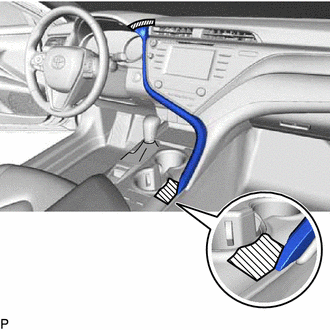

|
Protective Tape |
Apply protective tape to the area shown in the illustration.
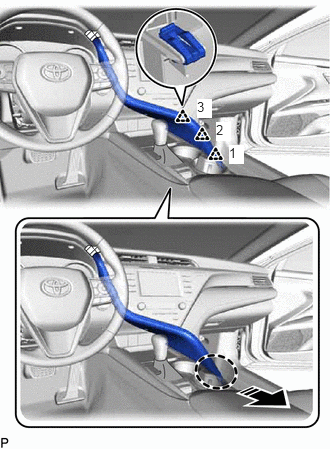

|
Place Hand Here |

|
Remove in this Direction |
Disengage the 3 clips in the order shown in the illustration.
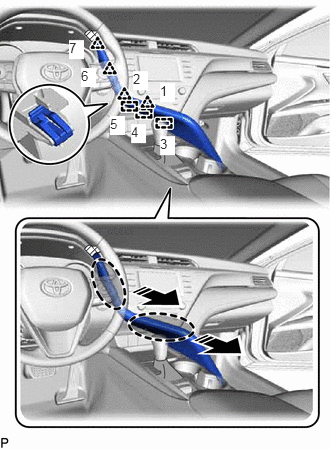
|
|
Place Hand Here |
|
|
Remove in this Direction |
Disengage the 4 clips and 3 guides in the order shown in the illustration.
Disconnect the connector to remove the No. 1 meter hood cluster.
55012A
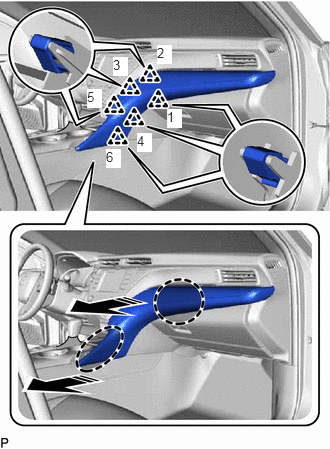
2.REMOVE NO. 2 INSTRUMENT PANEL GARNISH SUB-ASSEMBLY
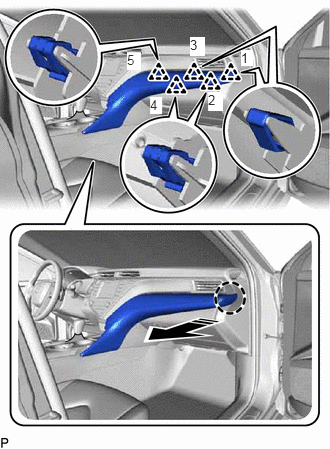
|
|
Place Hand Here |
|
|
Remove in this Direction |
Disengage the 5 clips in the order shown in the illustration.
|
|
Place Hand Here |
|
|
Remove in this Direction |
Disengage the 6 clips in the order shown in the illustration to remove the No. 2 instrument panel garnish sub-assembly.
55476C
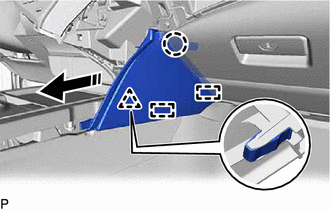
3.REMOVE INSTRUMENT PANEL FINISH PLATE GARNISH
|
|
Remove in this Direction |
Disengage the clip, claw and 2 guides to remove the instrument panel finish plate garnish as shown in the illustration.
55434B
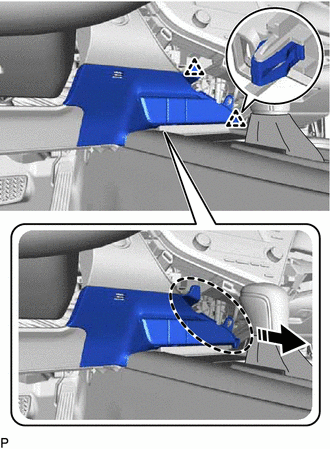
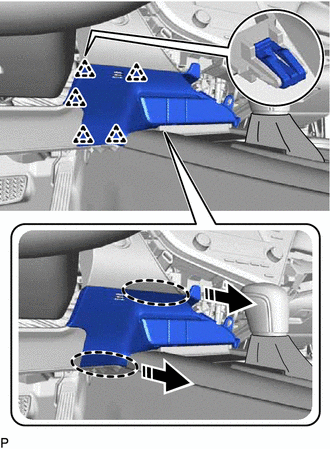
4.REMOVE LOWER CENTER INSTRUMENT PANEL FINISH PANEL
|
|
Place Hand Here |
|
|
Remove in this Direction |
Disengage the 2 clips as shown in the illustration.
|
|
Place Hand Here |
|
|
Remove in this Direction |
Disengage the 5 clips as shown in the illustration.
Disengage the clamp.
Disconnect each connector to remove the lower center instrument panel finish panel.
33554C
5.REMOVE SHIFT LOCK RELEASE BUTTON COVER
33504F
6.REMOVE SHIFT LEVER KNOB SUB-ASSEMBLY
58805C
7.REMOVE REAR UPPER CONSOLE PANEL SUB-ASSEMBLY
Move the shift lever to N.
Using a moulding remover, disengage the 2 claws and 2 clips as shown in the illustration.
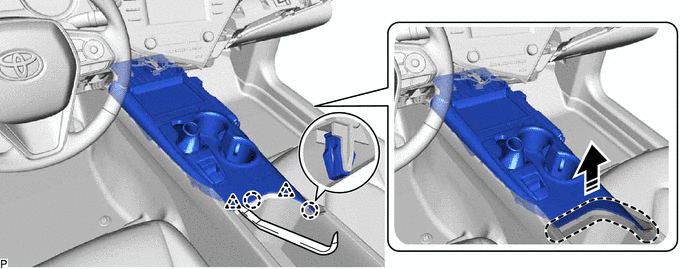
|
|
Place Hand Here |
|
Remove in this Direction |
Disengage the 5 claws and 4 clips as shown in the illustration.
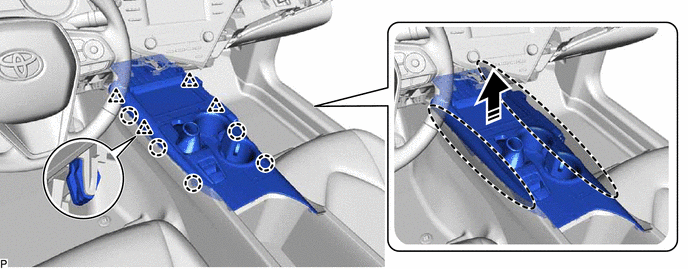
|
|
Place Hand Here |
|
Remove in this Direction |
Disengage the clamp.
Disconnect each connector to remove the rear upper console panel sub-assembly.
35978
8.REMOVE SHIFT POSITION INDICATOR
58804C
9.REMOVE FRONT CONSOLE BOX INSERT SUB-ASSEMBLY
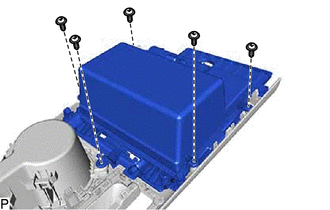
Remove the 5 screws and front console box insert sub-assembly.
55620B
10.REMOVE INSTRUMENT PANEL CUP HOLDER
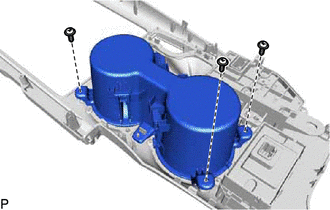
Remove the 3 screws.
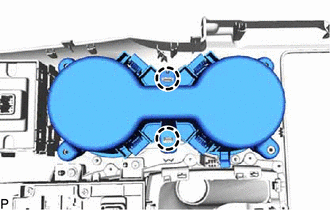
Disengage the 2 claws to remove the instrument panel cup holder.
58903A
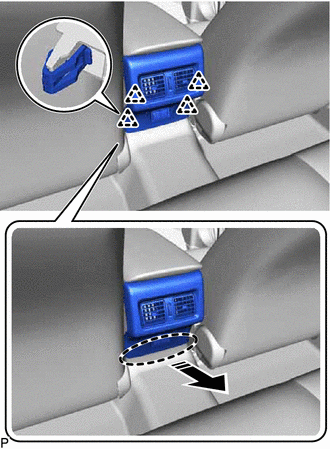
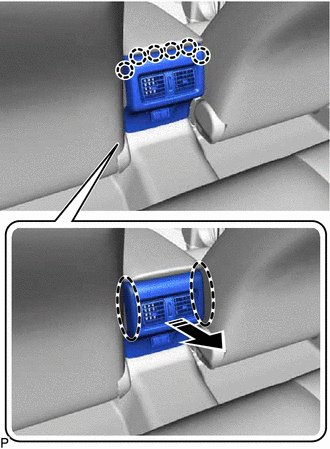
11.REMOVE CONSOLE REAR END PANEL SUB-ASSEMBLY
|
|
Place Hand Here |
|
|
Remove in this Direction |
Disengage the 4 clips as shown in the illustration.
|
|
Place Hand Here |
|
|
Remove in this Direction |
Disengage the 6 claws to remove the console rear end panel sub-assembly as shown in the illustration.
w/ Power Outlet Socket:
Disconnect the connector.
58815C
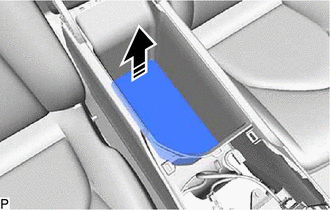
12.REMOVE CONSOLE BOX CARPET
|
|
Remove in this Direction |
Remove the console box carpet as shown in the illustration.
58810J
13.REMOVE CONSOLE BOX ASSEMBLY
w/ Airbag Cut Off Switch:
Disconnect the connector.
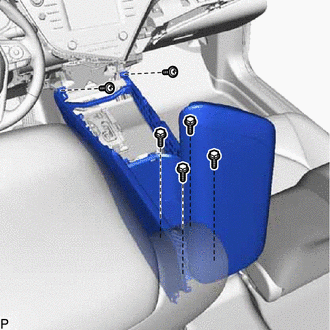
Remove the 4 bolts, 2 screws and console box assembly.