RM2850E
_56
Audio / Visual / Telematics
_073196
AUDIO / VIDEO
_0356223
RADIO ANTENNA
A
AUDIO / VIDEO RADIO ANTENNA INSTALLATION
PROCEDURE

 86300
1.INSTALL ANTENNA ASSEMBLY WITH HOLDER
a.
1.458,1.604 1.125,1.385
false
1.479,1.604 1.823,1.875
0.344,0.271
10
false
*1
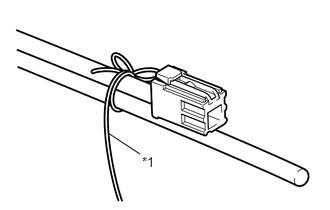
Install the string passed through the pillar to the antenna assembly with holder.
| *1 | String |
b.
Using the string, pass the antenna assembly with holder through the pillar and pull it through to the vehicle.
c.
for LHD:
i.
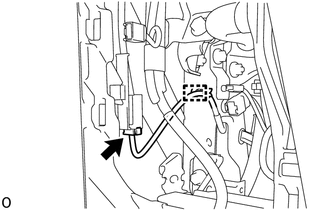
Connect the connector to the antenna sub-assembly and install the clamp.
d.
for RHD:
i.
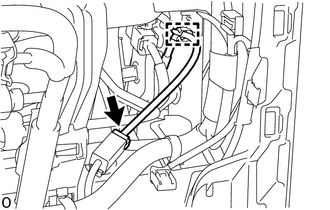
Connect the connector to the antenna sub-assembly and install the clamp.
e.
Remove the string used during installation.
f.
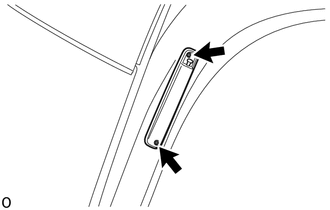
Install the antenna assembly with holder with the 2 screws.
- NOTICE:
-
The antenna with holder assembly can only be reused up to 3 times.
- Torque:
2.0 N*m (21 kgf*cm, 19 in.*lbf)
55480D
2.INSTALL LOWER INSTRUMENT PANEL FINISH PANEL ASSEMBLY