BRAKE SYSTEM (OTHER) VACUUM WARNING SWITCH(for RHD) REMOVAL
PROCEDURE

 11209
1.REMOVE V-BANK COVER SUB-ASSEMBLY (for 7GR-FKS)
12601B
2.REMOVE NO. 1 ENGINE COVER SUB-ASSEMBLY (for 1GD-FTV)
3.REMOVE AIR CLEANER CAP SUB-ASSEMBLY (for 7GR-FKS)
Disconnect the air cleaner cap sub-assembly
Click hereGeneral>MAINTENANCE>7GR-FKS AIR CLEANER FILTER ELEMENT>REMOVAL
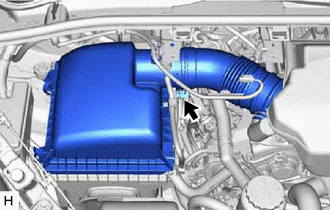
Loosen the hose clamp and remove the air cleaner cap sub-assembly
17705
4.REMOVE AIR CLEANER CAP SUB-ASSEMBLY (for 1GD-FTV)
Disconnect the air cleaner cap sub-assembly
Click hereGeneral>MAINTENANCE>1GD-FTV AIR CLEANER FILTER ELEMENT>REMOVAL
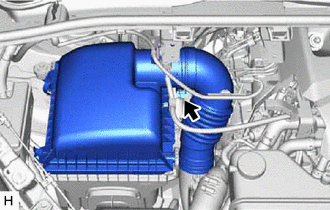
Loosen the hose clamp and remove the air cleaner cap sub-assembly
83390
5.REMOVE VACUUM WARNING SWITCH ASSEMBLY
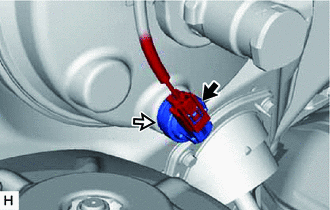

|
Connector |

|
Vacuum Warning Switch Assembly |
Disconnect the connector from the vacuum warning switch assembly.
Remove the vacuum warning switch assembly from the brake booster assembly.
89420K
6.REMOVE GROMMET
Remove the grommet from the brake booster assembly.