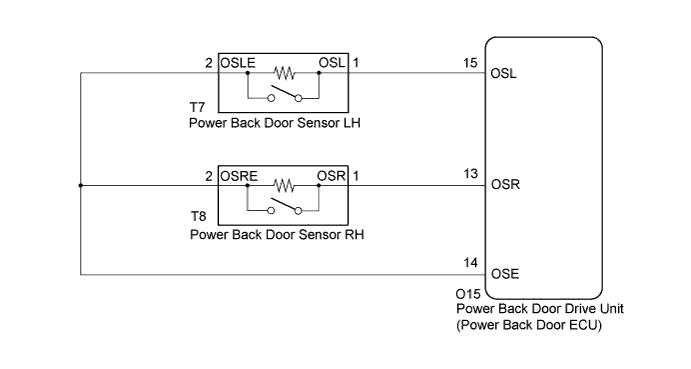
POWER BACK DOOR SYSTEM > Jam Protection Function Activates During Power Back Door Operation |
| 1.CHECK BACK DOOR LOCK FUNCTION |
Check if there are any foreign objects interfering with the back door operation.
|
| ||||
| OK | |
 |
| 2.CHECK BACK DOOR |
Check the back door operation.
Turn the door control main switch off.
Open / close the back door by hand.
|
| ||||
| OK | |
|
| 3.READ VALUE ON TECHSTREAM (POWER BACK DOOR TOUCH SENSOR) |
Check the Data List to determine if the power back door touch sensor functions properly.
| Tester Display | Measurement Item/Range | Normal Condition | Diagnostic Note |
| PBD Touch Sen L | Power back door touch sensor LH signal / ON or OFF | ON: Power back door touch sensor LH pressed OFF: Power back door touch sensor LH not pressed | - |
| PBD Touch Sen R | Power back door touch sensor RH signal / ON or OFF | ON: Power back door touch sensor RH pressed OFF: Power back door touch sensor RH not pressed | - |
|
| ||||
| OK | ||
 | ||
| ||
