AUDIO AND VISUAL SYSTEM (for Radio and Display Type) > OPERATION CHECK |
| CHECK PANEL & STEERING SWITCH |
Enter diagnostic mode (Click here).
![]() |
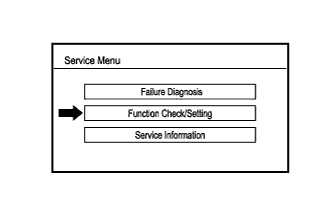
Select "Function Check/Setting" from the "Service Menu" screen.
![]() |
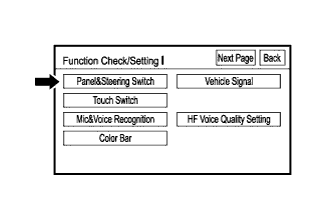
Select "Panel & Steering Switch" from the "Function Check/Setting I" screen.
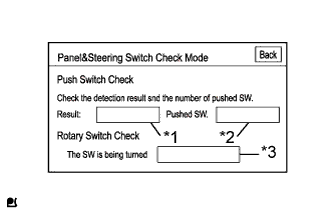
Panel & Steering Switch Check Mode
![]() |
Operate each switch and check that the number of switches pushed and the switch conditions are correctly displayed.
| Display | Content |
| *1: Switch condition | "Pushed" is displayed when any switch is pushed |
| *2: Number of pushed switch |
|
| *3: Rotary switch direction | Direction of rotary switch is displayed |
| CHECK TOUCH SWITCH |
Enter diagnostic mode (Click here).
![]() |
Select "Function Check/Setting" from the "Service Menu" screen.
![]() |
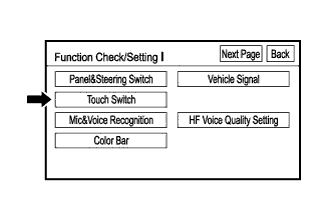
Select "Touch Switch" from the "Function Check/Setting I" screen.
![]() |
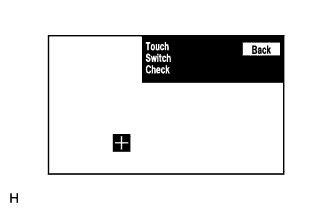
Touch Switch Check
Touch the display anywhere in the open area to perform the check when the "Touch Switch Check" screen is displayed.
| CHECK MIC & VOICE RECOGNITION |
Enter diagnostic mode (Click here).
![]() |
Select "Function Check/Setting" from the "Service Menu" screen.
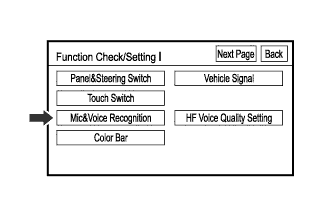
![]() |
Select "Mic & Voice Recognition" from the "Function Check/Setting I" screen.
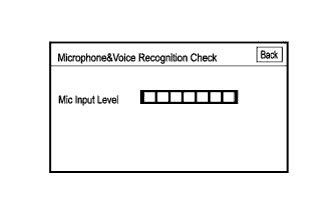
Microphone & Voice Recognition Check
![]() |
When speaking into the microphone, check that the microphone input level meter changes according to the input level.
| CHECK COLOR BAR |
Enter diagnostic mode (Click here).
![]() |
Select "Function Check/Setting" from the "Service Menu" screen.
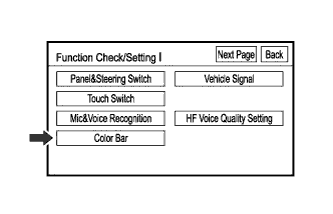
![]() |
Select "Color Bar" from the "Function Check/Setting I" screen.
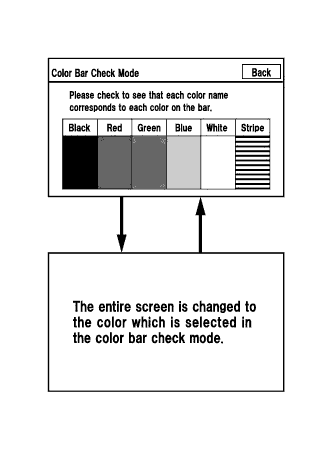
Color Bar Check Mode
![]() |
Select a color bar from the "Color Bar Check Mode" screen.
Check the display color.
| CHECK VEHICLE SIGNAL |
Enter diagnostic mode (Click here).
![]() |
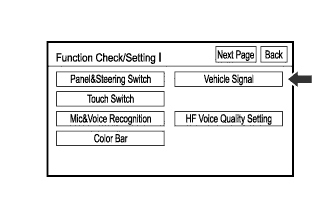
Select "Function Check/Setting" from the "Service Menu" screen.
![]() |
Select "Vehicle Signal" from the "Function Check/Setting I" screen.
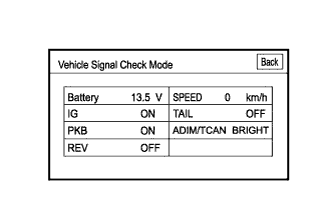
Vehicle Signal Check Mode
![]() |
When the "Vehicle Signal Check Mode" screen is displayed, check all the vehicle signal conditions.
| CHECK HANDSFREE VOICE QUALITY SETTING |
Enter diagnostic mode (Click here).
![]() |
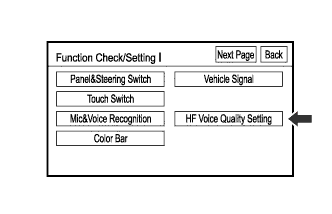
Select "Function Check/Setting" from the "Service Menu" screen.
![]() |
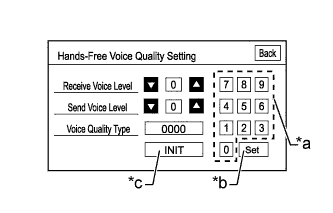
Select "HF Voice Quality Setting" from the "Function Check/Setting I" screen.
Receive/Send Voice Level adjustment
If the voice level is low, press "+" button, and if the voice level is loud, press "-" button.
Voice Quality Type Adjustment
![]() |
When changing the settings, use the number pad on the screen and input the voice quality type according to the chart below.
| *a | Numeric keypad |
| *b | Setting button |
| *c | Reset button |
| Parameter | Target Phenomenon | Voice Quality Type (FUJITSU TEN) | Voice Quality Type (Pioneer) | Voice Quality Type (Panasonic) | Effect of Changing Voice Quality Parameter | Adverse Effect of Changing Voice Quality Parameter |
| Echo | The other party hears their own voice echoed back to a large degree. |
|
| 0001 | The amount that the other party hears their own voice echoed back is reduced. | When both parties speak at the same time, the voice heard by the other party suddenly becomes quiet, cuts out, etc. |
| Half Duplex | When both parties speak at the same time, the voice heard by the other party suddenly becomes quiet, cuts out, etc. |
|
| 0002 | The phenomenon in which the voice heard by the other party suddenly becomes quiet, cuts out, etc. when both parties speak at the same time is reduced. | The amount that the other party hears their own voice echoed back increases. |
| Noise | A large amount of noise, such as vehicle or road noise, is mixed together with the voice heard by the other party. |
|
| 0004 | The amount of noise, such as vehicle or road noise, that is mixed together with the voice heard by the other party is reduced. | The quality of the voice heard by the other party worsens. |
| Quality | The quality of the voice heard by the other party is bad. |
|
| 0003 | The quality of the voice heard by the other party improves. | The amount of noise, such vehicle or road noise, that is mixed together with the voice heard by the other party increases. |