NAVIGATION / MULTI INFO DISPLAY NAVIGATION SYSTEM OPERATION CHECK
CHECK NAVIGATION SYSTEM NORMAL CONDITION
If the cause of a symptom is any of the following, the corresponding symptom is normal; it is not a malfunction.
| Symptom | Answer |
|---|---|
| A longer route than expected is chosen. | Depending on the road conditions, the navigation ECU may determine that a longer route is quicker. |
| Even when distance priority is high, the shortest route is not shown. | Some paths may not be advised due to safety concerns. |
| When the vehicle is put into motion immediately after the engine starts, the navigation system deviates from the actual position. | If the vehicle starts before the navigation system activates, the system may not react. |
| When driving on certain types of roads, especially new roads, the vehicle position deviates from the actual position. | When the vehicle is driving on new roads not available on the SD card, the system attempts to match it to another nearby road, causing the position mark to deviate. |
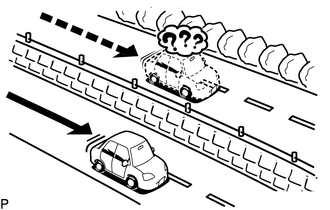
The following symptoms are not a malfunction, but are caused by errors inherent in the GPS, gyro sensor, speed sensor and navigation ECU.
The current position mark may be displayed on a nearby parallel road.
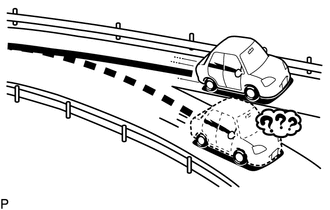
Immediately after a fork in the road, the current vehicle position mark may be displayed on the wrong road.
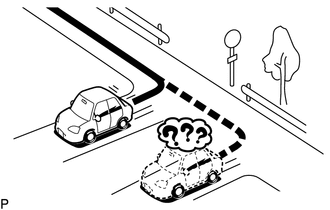
When the vehicle turns right or left at an intersection, the current vehicle position mark may be displayed on a nearby parallel road.
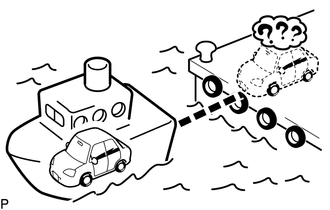
When the vehicle is carried, such as on a ferry, and the vehicle itself is not being driven, the current vehicle position mark may be displayed in the position where the vehicle was until a measurement can be performed by GPS.
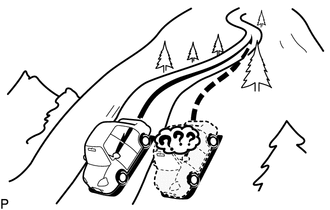
When the vehicle is driven on a steep hill, the current vehicle position mark may deviate from the correct position.
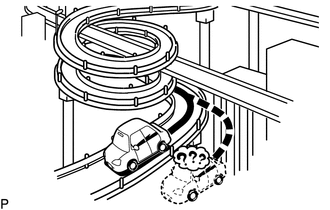
When the vehicle makes a continuous turn of 360°, 720°, 1080°, etc., the current vehicle position mark may deviate from the correct position.
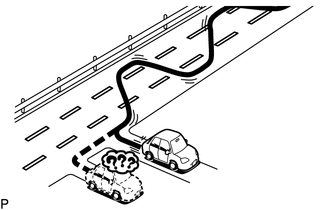
When the vehicle moves erratically, such as when making constant lane changes, the current vehicle position mark may deviate from the correct position.
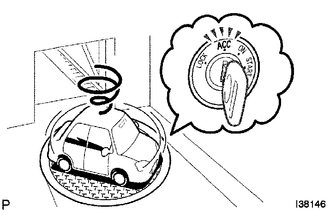
When the ignition switch is turned to ACC or ON on a turntable while parking, the current vehicle position mark may not point in the correct direction. The same will occur when the vehicle starts to move.
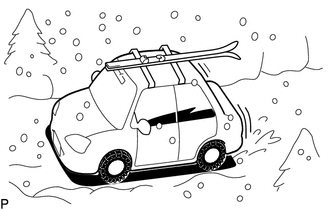
When the vehicle is driven on a snowy road or a mountain path with tire chains installed or using a spare tire, the current vehicle position mark may deviate from the correct position.
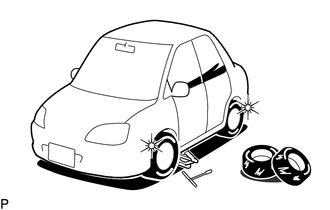
When a tire is changed, the current vehicle position mark may deviate from the correct position.
- HINT:
- ·
The diameter of the tire may change, causing a speed sensor error.
·Performing "tire change" in calibration mode will allow the system to correct the current vehicle position faster.
CHECK HANDSFREE VOICE QUALITY SETTING
Enter diagnostic mode (See pageAudio / Visual / Telematics>NAVIGATION / MULTI INFO DISPLAY>NAVIGATION SYSTEM>DTC CHECK / CLEAR).
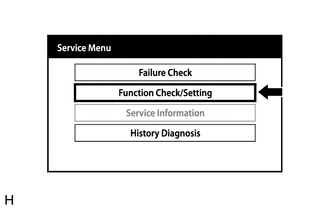
Select "Function Check/Setting" from the "Service Menu" screen.
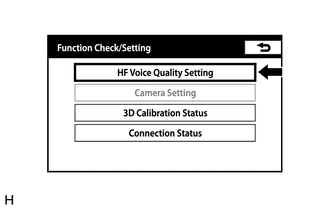
Select "HF Voice Quality Setting" from the "Function Check/Setting" screen.
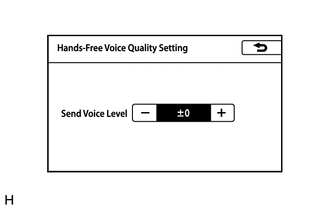
Hands-Free Voice Quality Setting
| Display | Content |
|---|---|
| Send Voice Level | Setting for the voice level sent from "Bluetooth" compatible phones. |
If the voice level is low, press the "+" button, and if the voice level is loud, press the "-" button.
- HINT:
- ·
The send voice level adjustment ranges from -5 to +5.
·The initial level is "0".
CHECK 3D CALIBRATION STATUS
Enter diagnostic mode (See pageAudio / Visual / Telematics>NAVIGATION / MULTI INFO DISPLAY>NAVIGATION SYSTEM>DTC CHECK / CLEAR).
Select "Function Check/Setting" from the "Service Menu" screen.
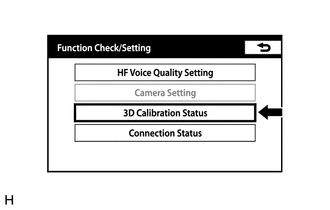
Select "3D Calibration Status" from the "Function Check/Setting" screen.
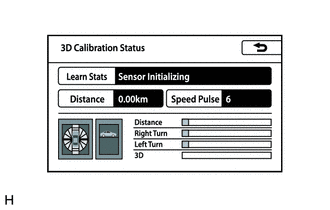
3D Calibration Status
When the accuracy of the distance is poor, press "Learn Status", and then press "Reset Distance" or "Reset All" to reset the distance correction learning status.
CHECK CONNECTION STATUS
Enter diagnostic mode (See pageAudio / Visual / Telematics>NAVIGATION / MULTI INFO DISPLAY>NAVIGATION SYSTEM>DTC CHECK / CLEAR).
Select "Function Check/Setting" from the "Service Menu" screen.
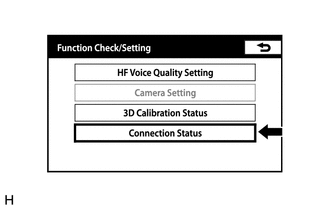
Select "Connection Status" from the "Function Check/Setting" screen.
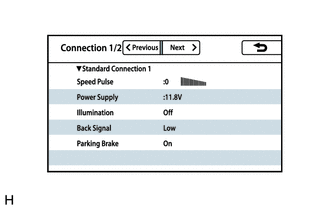
Connection status (Standard connection 1)
| Display | Content |
|---|---|
| *a: Speed Pulse | Vehicle speed is displayed in pulse. |
| *b: Power Supply | Battery voltage is displayed. |
| *c: Illumination | Tail signal (Light control switch) On/Off state is displayed. |
| *d: Back Signal | Reverse signal Low/High/Error state is displayed. |
| *e: Parking Brake | Parking brake On/Off state is displayed. |
Select "Next" from the "Connection Status" screen.
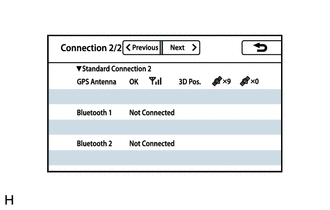
Connection status (Standard connection 2)
| Display | Content |
|---|---|
| *a: OK/Error | Indicates whether GPS communication is possible. |
| *b: Between 0 and 3 bars are displayed | Indicates received signal strength. |
| *c: 3D Pos. / 2D Pos. / Not Pos. | Indicates whether 3D positioning or 2D positioning is used, or whether positioning is not being performed. |
| *d: Value between x0 and x12 is displayed | Indicates the number of positioning satellites. |
| *e: Value between x0 and x12 is displayed | Indicates the number of tracking satellites. |
| Display | Content |
|---|---|
| *f: When a device is connected: Name of device, BD address and profile name (HFP A2DP/HFP/A2DP) are displayed
*f: When a device is not connected: "Not Connected" is displayed |
BT device 1 connection state |
| Display | Content |
|---|---|
| *f: When a device is connected: Name of device, BD address and profile name (HFP A2DP/HFP/A2DP) are displayed
*g: When a device is not connected: "Not Connected" is displayed |
BT device 2 connection state |
CHECK GYRO/DISTANCE CORRECTION LEARNING STATUS
Enter diagnostic mode (Audio / Visual / Telematics>NAVIGATION / MULTI INFO DISPLAY>NAVIGATION SYSTEM>DTC CHECK / CLEAR).
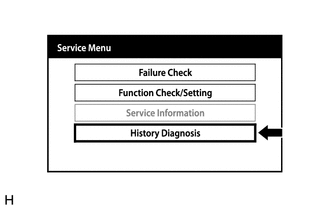
Select "History Diagnosis" from the "Service Menu" screen.
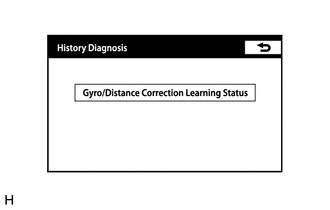
Select "Gyro/Distance Correction Learning Status" from the "History Diagnosis" screen.
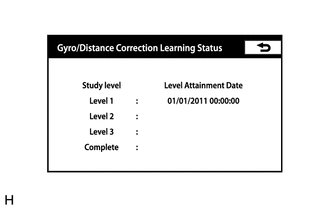
Gyro/Distance Correction Learning Status
| Display | Content |
|---|---|
| Level 1 | Date and time when learning level reached level 1 is displayed. |
| Level 2 | Date and time when learning level reached level 2 is displayed. |
| Level 3 | Date and time when learning level reached level 3 is displayed. |
| Complete | Date and time when learning was completed is displayed. |