Start the engine.
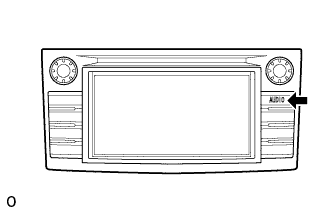 |
While pressing and holding the "AUDIO" switch, operate the light control switch: off → turn on → turn off → turn on → turn off → turn on → turn off.
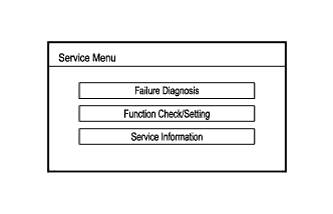 |
Diagnostic mode starts and the "Service Menu" screen is displayed.
AUDIO AND VISUAL SYSTEM (for Radio and Display Type) > DTC CHECK / CLEAR |
| START DIAGNOSTIC MODE |
Start the engine.
|
While pressing and holding the "AUDIO" switch, operate the light control switch: off → turn on → turn off → turn on → turn off → turn on → turn off.
|
Diagnostic mode starts and the "Service Menu" screen is displayed.
| FINISH DIAGNOSTIC MODE |
There are 2 methods to end diagnostic mode. Use one of them.
Turn the ignition switch off.
Press and hold the "AUDIO" switch for 3 seconds.
| FAILURE DIAGNOSIS |
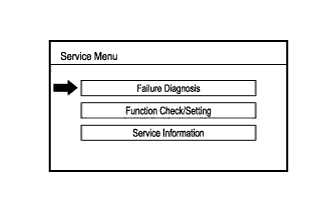 |
Touch the "Failure Diagnosis" button on the "Service Menu" screen.
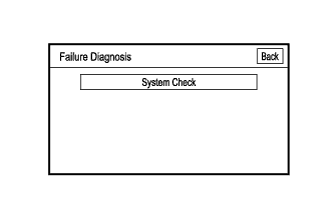 |
The "Failure Diagnosis" screen is displayed.
| SYSTEM CHECK |
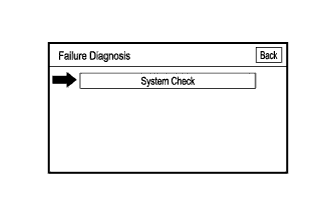 |
Touch the "System Check" button on the "Failure Diagnosis" screen.
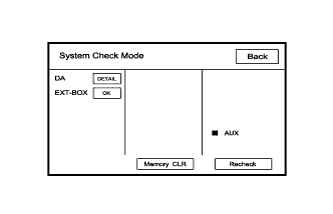 |
The "System Check Mode" screen is displayed.
| CHECK DTC (CHECK USING SYSTEM CHECK MODE SCREEN) |
Read the system check result.
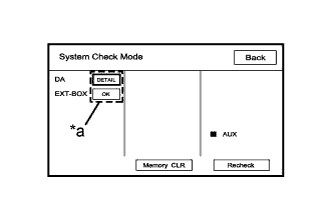 |
If the check result is "DETAIL", touch the displayed check result.
| *a | Check Result |
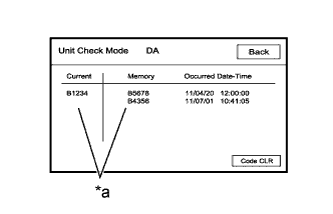 |
View the results on the "Unit Check Mode" screen and record them.
| *a | Diagnostic Code |
When proceeding to view the results of another device, touch the "Back" button to return to the "System Check Mode" screen.
| DTC CLEAR/RECHECK (CLEAR USING SYSTEM CHECK MODE SCREEN) |
Clear DTC
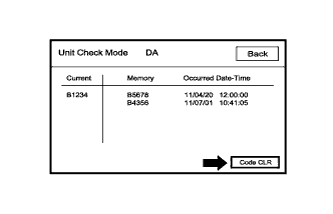 |
Touch the "Code CLR" button for 3 seconds.
Confirm that the check results are cleared.
Recheck
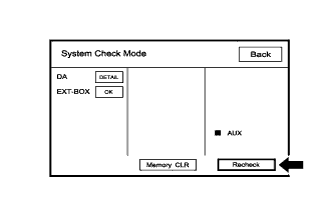 |
Touch the "Recheck" button.
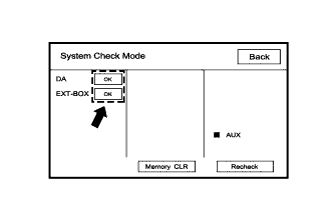 |
Confirm that all check results are "OK" when the check results are displayed. If a result other than "OK" is displayed, troubleshoot again.