 |
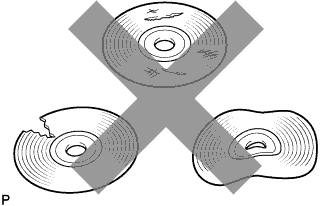
Check that the CD is not deformed or cracked.
- OK:
- No deformation or cracks on the CD
AUDIO AND VISUAL SYSTEM (w/ Daytime Running Light) > CD Sound Skips |
| 1.CHECK CD |
|
Check that the CD is not deformed or cracked.
|
| ||||
| OK | |
 |
| 2.CHECK CD |
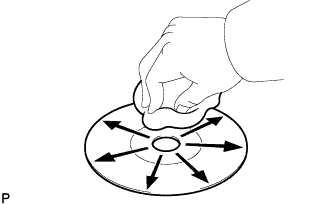 |
Check the CD.
|
| ||||
| OK | |
|
| 3.REPLACE CD AND RECHECK |
Replace the CD with a known good one and check that the malfunction disappears.
|
| ||||
| OK | ||
 | ||
| ||
| 4.CHECK RADIO AND DISPLAY RECEIVER ASSEMBLY |
Check the radio and display receiver assembly installation condition.
Check that the radio and display receiver assembly is properly installed.
|
| ||||
| OK | ||
| ||
| ||

