LIGHTING (EXT) AUTOMATIC HIGH BEAM SYSTEM B124C Automatic High Beam Camera
DESCRIPTION
This DTC is stored when the main body ECU (multiplex network body ECU) detects a malfunction in the forward recognition camera.
| DTC No. | Detection Item | DTC Detection Condition | Trouble Area | Note |
|---|---|---|---|---|
| B124C | Automatic High Beam Camera | Malfunction in forward recognition camera | Forward recognition camera | - |
WIRING DIAGRAM
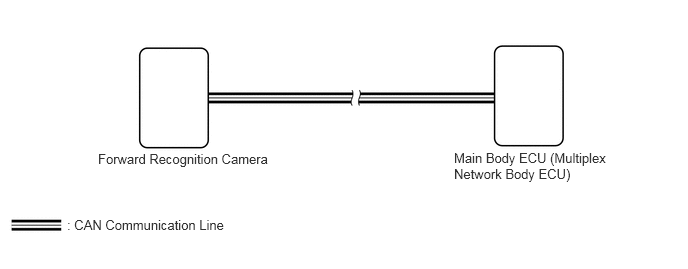
CAUTION / NOTICE / HINT
- NOTICE:
- ·
Confirm that there are no CAN communication system malfunctions before performing the following inspection.
Click herePower Source / Network>NETWORKING>CAN COMMUNICATION SYSTEM>DIAGNOSIS SYSTEM
·When replacing the forward recognition camera, always replace it with a new one. If a forward recognition camera which was installed to another vehicle is used, the information stored in the forward recognition camera will not match the information from the vehicle. As a result, a DTC may be stored.
·If the forward recognition camera has been replaced with a new one, be sure to perform Forward Recognition Camera Learning.
Click hereEngine / Hybrid System>CRUISE CONTROL>FRONT CAMERA>ADJUSTMENT
PROCEDURE
Clear the DTCs.
Click hereVehicle Exterior>LIGHTING (EXT)>AUTOMATIC HIGH BEAM SYSTEM>DTC CHECK / CLEAR
- Body Electrical > Main Body > Clear DTCs
- 50002 123
- Result:
Proceed to NEXT
NEXT
Turn the power switch on (IG).
Check for DTCs.
Click hereVehicle Exterior>LIGHTING (EXT)>AUTOMATIC HIGH BEAM SYSTEM>DTC CHECK / CLEAR
- Body Electrical > Main Body > Trouble Codes
- 50001 123
- OK:
DTC B124C is not output.
- Result:
Proceed to OK NG
OK
Click hereGeneral>INTRODUCTION>HOW TO TROUBLESHOOT ECU CONTROLLED SYSTEMS>HOW TO PROCEED WITH TROUBLESHOOTING
NG
Check if a dynamic radar cruise control system, lane departure alert system and pre-crash safety system warning message is displayed on the combination meter assembly.
Click hereEngine / Hybrid System>CRUISE CONTROL>FORWARD RECOGNITION CAMERA SYSTEM>DIAGNOSIS SYSTEM
- OK:
No dynamic radar cruise control system, lane departure alert system and pre-crash safety system warning messages are displayed.
- Result:
Proceed to OK NG
OK
NG
Click hereEngine / Hybrid System>CRUISE CONTROL>FORWARD RECOGNITION CAMERA SYSTEM>PROBLEM SYMPTOMS TABLE
Replace the forward recognition camera.
Click hereEngine / Hybrid System>CRUISE CONTROL>FRONT CAMERA>REMOVAL
- Result:
Proceed to NEXT
NEXT