DTC CHECK / CLEAR
Troubleshooting · Vehicles built from Nov 2005
| CHECK DTC |
Connect the intelligent tester to the DLC3.
Turn the ignition switch on (IG) and turn the tester ON.
Select the following menu items: Body / Power Window / DTC.
Check the DTC(s).
| CLEAR DTC |
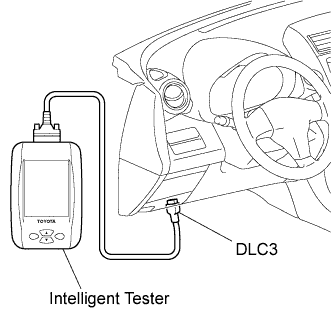  |
Connect the intelligent tester to the DLC3.
Turn the ignition switch on (IG) and turn the tester ON.
Select the following menu items: Body / Power Window / DTC / Clear.
Press the YES button.
Check that "DTCs are cleared" is displayed.
- NOTICE:
- If any DTCs are output, troubleshoot those DTCs again.