 |
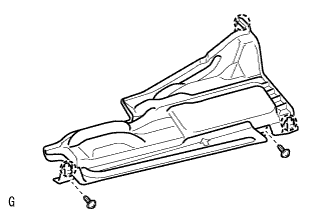
Remove the 2 screws.
CLUTCH PEDAL (for RHD) > REMOVAL |
| 1. REMOVE NO. 1 INSTRUMENT PANEL UNDER COVER SUB-ASSEMBLY |
|
Remove the 2 screws.
Detach the 3 claws and remove the cover.
| 2. REMOVE DRIVER SIDE KNEE AIRBAG ASSEMBLY (w/ Knee Airbag) |
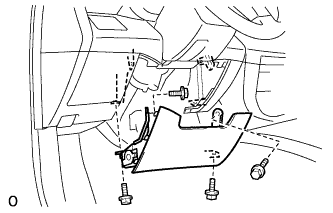 |
Remove the 4 bolts and driver side knee airbag.
Disconnect the connector.
| 3. REMOVE LOWER INSTRUMENT PANEL FINISH PANEL (w/o Knee Airbag) |
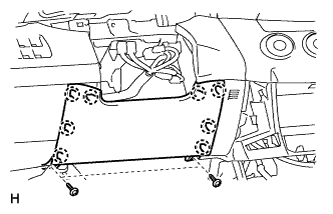 |
Remove the 2 screws.
Using a screwdriver, detach the 8 claws and remove the lower instrument panel finish panel.
| 4. REMOVE UPPER INSTRUMENT PANEL |
Remove the upper instrument panel (Click here).
| 5. DISCONNECT CLUTCH START SWITCH CONNECTOR (w/ Entry and Start System) |
Disconnect the clutch start switch connector.
Remove the nut and clutch start switch from the clutch pedal support.
| 6. DISCONNECT CLUTCH SWITCH CONNECTOR (w/ Cruise Control System) |
Disconnect the clutch switch connector.
Remove the nut and clutch switch from the clutch pedal support.
| 7. REMOVE CLUTCH PEDAL ASSEMBLY |
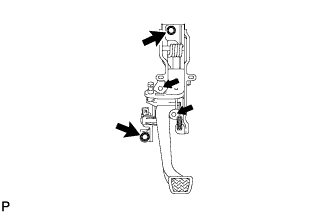 |
Remove the 2 bolts, 2 nuts and clutch pedal.