Start the engine.
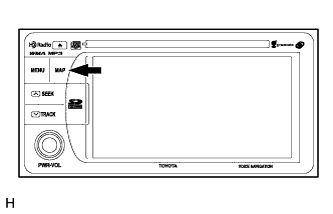 |
While pressing and holding the "MAP" switch, operate the light control switch: off → turn on → turn off → turn on → turn off → turn on → turn off.
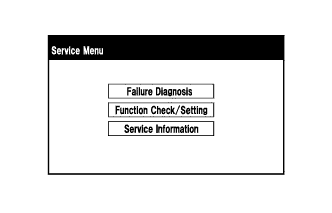 |
Diagnostic mode starts and the "Service Menu" screen is displayed.
NAVIGATION SYSTEM (for SD) > DTC CHECK / CLEAR |
| START DIAGNOSTIC MODE |
Start the engine.
|
While pressing and holding the "MAP" switch, operate the light control switch: off → turn on → turn off → turn on → turn off → turn on → turn off.
|
Diagnostic mode starts and the "Service Menu" screen is displayed.
| FINISH DIAGNOSTIC MODE |
There are 2 methods to end diagnostic mode. Use one of them.
Turn the ignition switch off.
Press and hold the "MENU" switch for 3 seconds.
| FAILURE DIAGNOSIS |
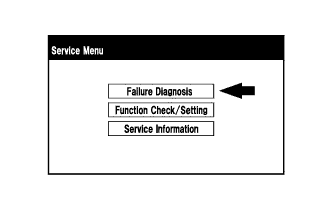 |
Touch the "Failure Diagnosis" button on the "Service Menu" screen.
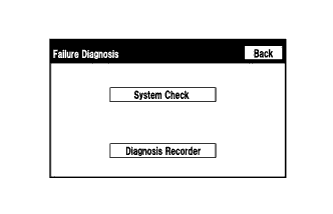 |
The "Failure Diagnosis" screen is displayed.
| SYSTEM CHECK |
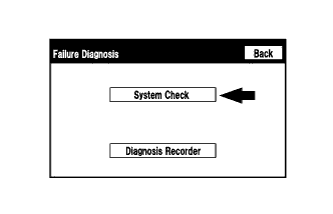 |
Touch the "System Check" button on the "Failure Diagnosis" screen.
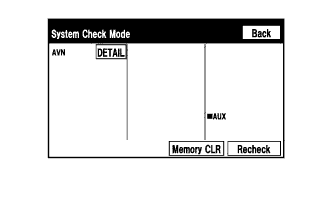 |
The "System Check Mode" screen is displayed.
| CHECK DTC (CHECK USING SYSTEM CHECK MODE SCREEN) |
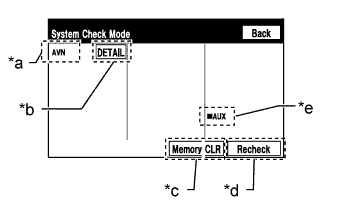 |
System check mode screen description
| Display | Content |
| *a: Device Name List No. 1 |
|
| *b: Check Result | Result codes for all devices are displayed. |
| *c: Memory Clear |
|
| *d: Recheck |
|
| *e: Device Name List No. 2 |
|
| Name | Component | Connection Method |
| AVN | Navigation receiver assembly | - |
| Result | Meaning | Action |
| OK | The device does not respond with a DTC. | - |
| DETAIL | The device responds with a DTC. | Look up the DTC in "Unit Check Mode". |
| NCON | The device was previously present, but does not respond in diagnostic mode. | - Check power supply wire harness of the device. - Check the AVC-LAN of the device. |
| NRES | The device responds in diagnostic mode, but gives no DTC information. | - Check power supply wire harness of the device. - Check the AVC-LAN of the device. |
| Name | Component | Connection Method |
| AUX | No. 1 stereo jack adapter assembly | Vehicle wire harness |
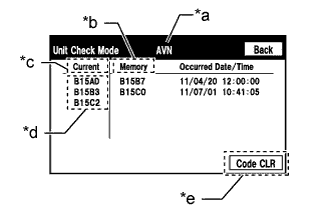 |
Unit check mode screen description
| Display | Content |
| *a: Device name | Target device |
| *b: History DTC | Diagnostic memory results and stored DTCs are displayed. |
| *c: Current DTC | DTCs output in the service check are displayed. |
| *d: DTC | DTC (Diagnostic Trouble Code) |
| *e: Diagnosis clear switch | Pushing this switch for 3 seconds clears the diagnostic memory data of the target device. (Both response to diagnostic system check result and the displayed data are cleared.) |
Read the system check result.
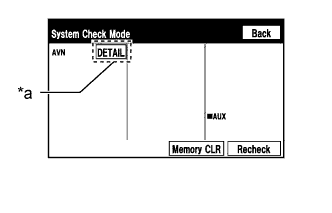 |
If the check result is "DETAIL", touch the displayed check result.
| *a | Check Result |
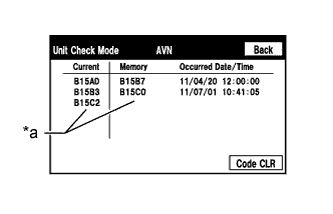 |
View the results on the "Unit Check Mode" screen and record them.
| *a | Diagnostic Code |
When proceeding to view the results of another device, touch the "Back" button to return to the "System Check Mode" screen.
| DTC CLEAR/RECHECK (CLEAR USING SYSTEM CHECK MODE SCREEN) |
Clear DTC
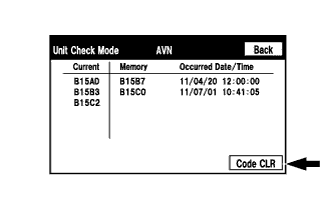 |
Touch the "Code CLR" button for 3 seconds.
Confirm that the check results are cleared.
Recheck
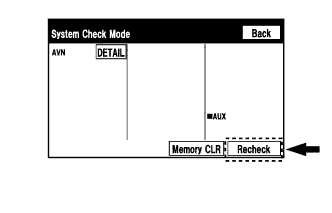 |
Touch the "Recheck" button.
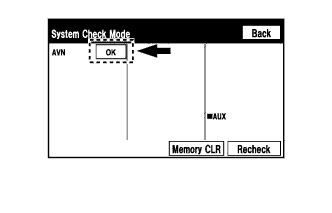 |
Confirm that all check results are "OK" when the check results are displayed. If a result other than "OK" is displayed, troubleshoot again.