 |
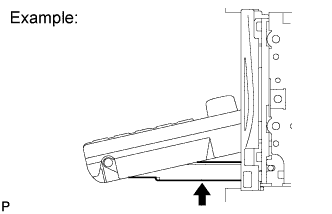
Check for foreign matter or obstructions caught in the moving parts of the panel.
- OK:
- No obstruction or foreign matter is found.
NAVIGATION SYSTEM (for DVD) > Display Panel does not Open, Tilt or Tilts Improperly |
| 1.CHECK NAVIGATION RECEIVER ASSEMBLY |
|
Check for foreign matter or obstructions caught in the moving parts of the panel.
|
| ||||
| OK | |
 |
| 2.CHECK OPERATION |
Check if the navigation and audio systems function properly.
|
| ||||
| OK | ||
 | ||
| ||
