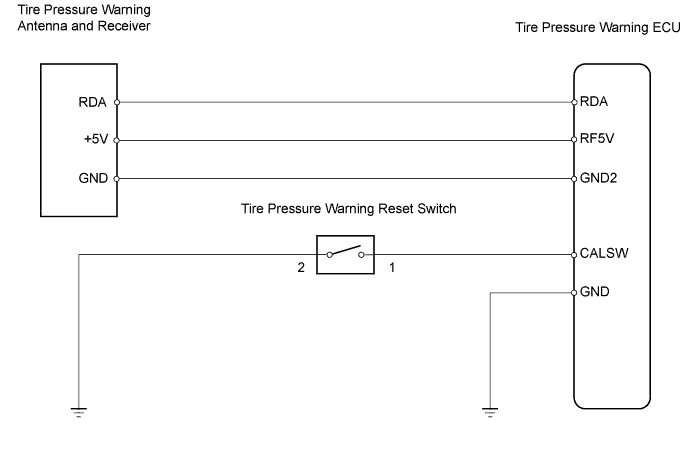
DTC C2111/11 Transmitter ID1 Operation Stop |
DTC C2112/12 Transmitter ID2 Operation Stop |
DTC C2113/13 Transmitter ID3 Operation Stop |
DTC C2114/14 Transmitter ID4 Operation Stop |
DTC C2115/15 Transmitter ID5 Operation Stop |
| DTC No. | DTC Detecting Condition | Trouble Area |
| C2111/11 C2112/12 C2113/13 C2114/14 C2115/15 | Tire pressure warning valve and transmitters stop transmitting signals |
|
| 1.PERFORM FORCIBLY TRANSMIT TRANSMITTER ID (ALL WHEELS) |
Set the tire pressures to the appropriate specified values.
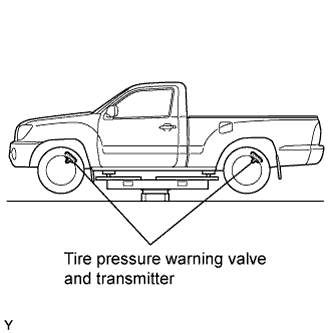 |
Jack up the vehicle.
Connect the intelligent tester to the DLC3.
Turn the ignition switch ON and turn the tester ON.
Select TIREPRESS by following the prompts displayed on the intelligent tester.
| Items | Measurement Item/ Range (Display) |
| TIREPRESS1 | ID1 tire pressure/ minimum: 0 kPa (0 kgf/cm2, 0psi) maximum: 637.5 kPa (6.5 kgf/cm2, 92.5 psi) |
| TIREPRESS2 | ID2 tire pressure/ minimum: 0 kPa (0 kgf/cm2, 0psi) maximum: 637.5 kPa (6.5 kgf/cm2, 92.5 psi) |
| TIREPRESS3 | ID3 tire pressure/ minimum: 0 kPa (0 kgf/cm2, 0psi) maximum: 637.5 kPa (6.5 kgf/cm2, 92.5 psi) |
| TIREPRESS4 | ID4 tire pressure/ minimum: 0 kPa (0 kgf/cm2, 0psi) maximum: 637.5 kPa (6.5 kgf/cm2, 92.5 psi) |
| TIREPRESS5 | ID5 tire pressure/ minimum: 0 kPa (0 kgf/cm2, 0psi) maximum: 637.5 kPa (6.5 kgf/cm2, 92.5 psi) |
Rapidly release the pressures from each wheel by approximately 40 kPa (0.4 kgf/cm2, 5.8 psi)/ 30 seconds or more.
Check that the each tire pressure data displayed on the intelligent tester screen changes.
After confirming that the all of the tire pressure data displayed on the intelligent tester screen have changed, set the tire pressures to the appropriate specified values.
|
| ||||
| OK | ||
 | ||
| ||
