Home › BODY ELECTRICAL › AUDIO / VISUAL › VIDEO TERMINAL (for Separate Seat Type)

VIDEO TERMINAL (for Separate Seat Type) > REMOVAL

for Preparation Click here


1. DISCONNECT CABLE FROM NEGATIVE BATTERY TERMINAL

NOTICE:
  1. Some systems need to be initialized after the cable is reconnected (Click here).
  2. After the ignition switch is turned OFF, the navigation system requires approximately 90 seconds to record various types of memory and settings. As a result, after turning the ignition switch OFF, wait 90 seconds or more before disconnecting the cable from the negative (-) battery terminal.


2. REMOVE REAR CONSOLE END PANEL SUB-ASSEMBLY


    B161744
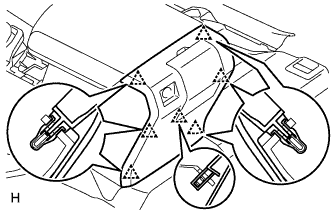
  1. Using a moulding remover, detach the 7 clips and remove the end panel.

  1. except Regular Cab:
    Disconnect the connector.


3. REMOVE VIDEO TERMINAL


    B164815
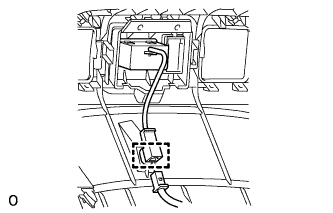
  1. Detach the clamp from the end panel.


    B168490
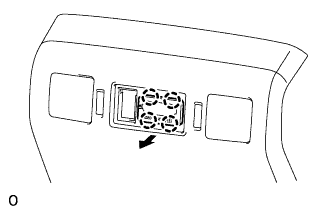
  1. Detach the 4 claws and remove the video terminal.