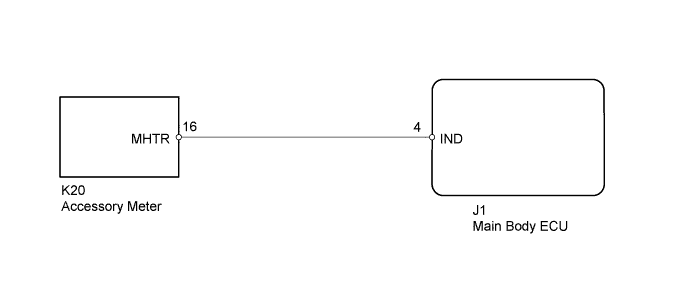
THEFT DETERRENT SYSTEM > Security Indicator Light Circuit |
| 1.PERFORM ACTIVE TEST USING TECHSTREAM (SECURITY INDICATOR) |
Operate the Techstream according to the steps on the display and select "Active Test".
| Tester Display | Test Part | Control Range | Diagnostic Note |
| Security Indicator | Security indicator | ON/OFF | - |
|
| ||||
| OK | ||
 | ||
| ||
| 2.CHECK HARNESS AND CONNECTOR (ACCESSORY METER - MAIN BODY ECU) |
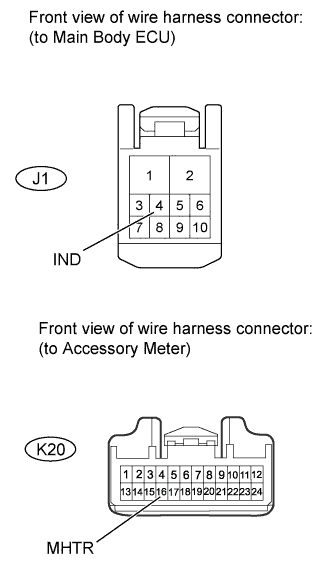 |
Disconnect the J1 main body ECU connector.
Disconnect the K20 accessory meter connector.
Measure the resistance according to the value(s) in the table below.
| Tester Connection | Condition | Specified Condition |
| K20-16 (MHTR) - J1-4 (IND) | Always | Below 1 Ω |
| K20-16 (MHTR) - Body ground | Always | 10 kΩ or higher |
|
| ||||
| OK | ||
| ||
| ||

