TELEVISION DISPLAY > INSTALLATION |
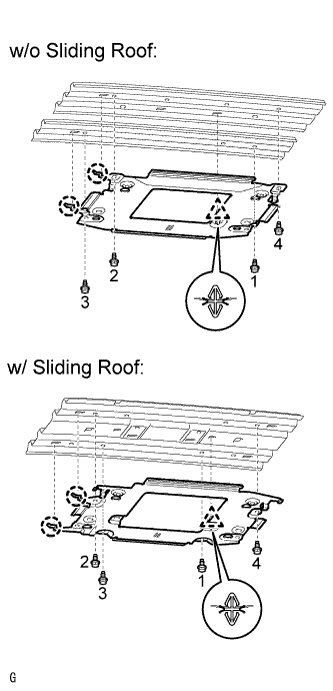
| 1. INSTALL TELEVISION DISPLAY BRACKET |
|
Attach the clip and 2 claws to install the bracket.
Install the 4 bolts.
| 2. INSTALL ROOF HEADLINING ASSEMBLY (for CrewMax) |
Install the roof headlining (Click here).
| 3. INSTALL TELEVISION DISPLAY ASSEMBLY |
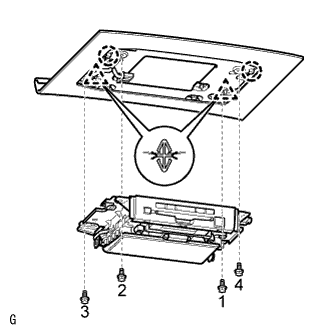 |
Attach the 2 clips and 2 claws to install the television display.
Install the 4 bolts.
| 4. INSTALL ROOM NO. 1 LIGHT ASSEMBLY |
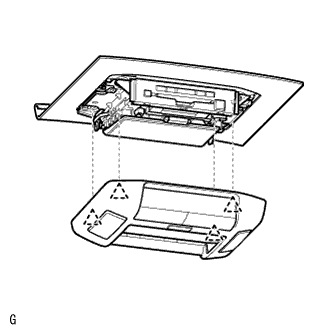 |
Attach the 4 clips to install the light.
| 5. CONNECT CABLE TO NEGATIVE BATTERY TERMINAL |