CLUTCH CLUTCH PEDAL(for LHD) REMOVAL
PROCEDURE

 55411G
1.REMOVE NO. 1 INSTRUMENT CLUSTER FINISH PANEL
55606
2.REMOVE NO. 1 INSTRUMENT PANEL UNDER COVER SUB-ASSEMBLY
55432B
3.REMOVE LOWER INSTRUMENT PANEL FINISH PANEL
31301A
4.REMOVE CLUTCH PEDAL SPRING
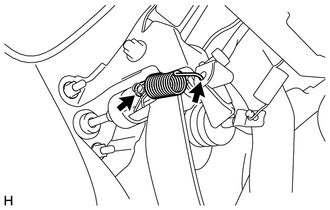
Remove the clutch pedal spring from the push rod clevis pin and clutch pedal support sub-assembly.
31453
5.DISCONNECT CLUTCH MASTER CYLINDER PUSH ROD CLEVIS
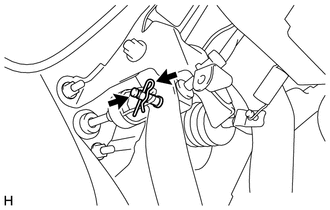
Remove the clip from the push rod clevis pin.
Remove the push rod clevis pin and disconnect the clutch master cylinder push rod clevis from the clutch pedal sub-assembly.
55107A
6.REMOVE CLUTCH PEDAL SUPPORT SUB-ASSEMBLY
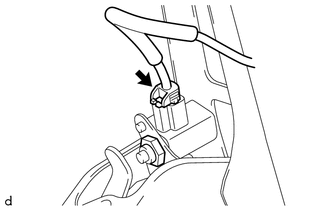
w/ Cruise Control System:
Disconnect the connector from the clutch switch assembly.
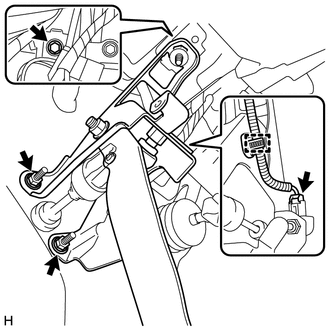
Disconnect the connector from the clutch start switch assembly.
Disengage the clamp from the clutch pedal support sub-assembly.
Remove the bolt, 2 nuts and clutch pedal support sub-assembly from the instrument panel reinforcement and clutch master cylinder assembly.
84520
7.REMOVE CLUTCH START SWITCH ASSEMBLY
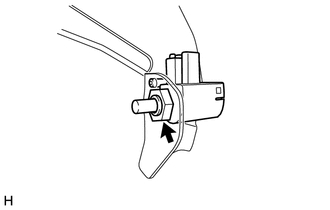
Remove the nut and clutch start switch assembly from the clutch pedal support sub-assembly.
- NOTICE:
-
To prevent damage to the clutch start switch assembly, make sure not to rotate it during removal.
88280A
8.REMOVE CLUTCH SWITCH ASSEMBLY (w/ Cruise Control System)
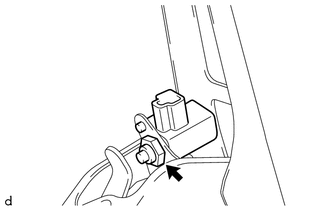
Remove the nut and clutch switch assembly from the clutch pedal support sub-assembly.
- NOTICE:
-
To prevent damage to the clutch switch assembly, make sure not to rotate it during removal.
31301F
9.REMOVE CLUTCH PEDAL STOPPER BOLT
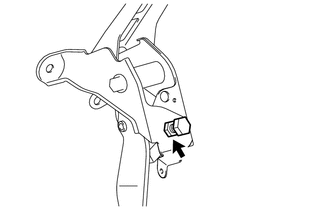
Loosen the lock nut and remove the clutch pedal stopper bolt from the clutch pedal support sub-assembly.
31301
10.REMOVE CLUTCH PEDAL SUB-ASSEMBLY
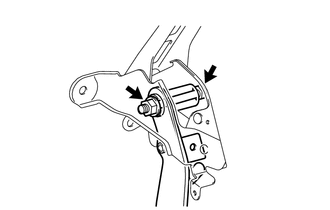
Remove the bolt, nut and clutch pedal sub-assembly from the clutch pedal support sub-assembly.
- HINT:
-
Turn the nut while holding the bolt.
31324A
11.REMOVE CLUTCH PEDAL SHAFT COLLAR
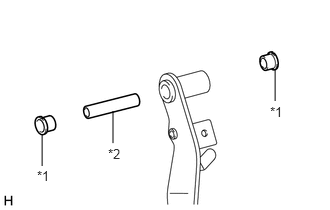
| *1 | Clutch Pedal Spring Bush |
| *2 | Clutch Pedal Shaft Collar |
Remove the 2 clutch pedal spring bushes and clutch pedal shaft collar from clutch pedal sub-assembly.
31301B
12.REMOVE NO. 1 CLUTCH PEDAL CUSHION
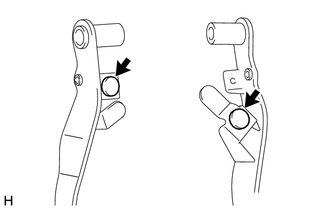
Remove the 2 No. 1 clutch pedal cushions from the clutch pedal sub-assembly.
31301C
13.REMOVE CLUTCH PEDAL BUSH
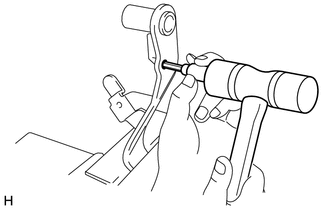
Secure the clutch pedal sub-assembly in a vise between aluminum plates.
- NOTICE:
-
Do not overtighten the vise.
Using an 8 mm hexagon socket wrench and hammer, remove the clutch pedal bush from the clutch pedal sub-assembly.
31321
14.REMOVE CLUTCH PEDAL PAD
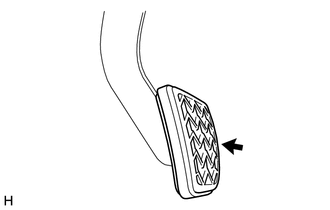
Remove the clutch pedal pad from the clutch pedal sub-assembly.